Best AI Tools for Small Law Firms in 2026: A Guide by Task
The best AI tools for small law firms, by task: legal research, drafting, practice management, client intake, plus ethics rules and how to choose.
 By Saad Ali, founder of Agentyra AI
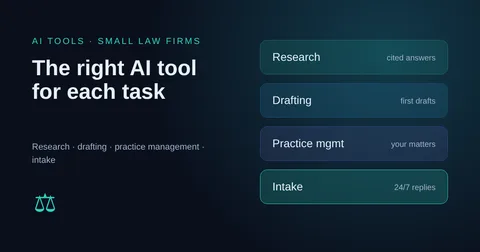
The best AI tools for small law firms aren't one product. They're a short stack matched to the jobs that eat a small firm's week: research, drafting, admin inside your practice management software, and answering new clients before they call the next firm on the list.
Most small firms are still early. In Clio's 2025 Legal Trends for Solo and Small Law Firms report, only 8% of solo practitioners and 4% of small firms said they had adopted AI widely or universally. That's an opportunity: you don't need to catch up with big law, you need to pick the two or three tools that fix your actual bottlenecks.
This guide sorts AI tools for law firms by task, explains what each type is good and bad at, and covers the ethics and accuracy questions you should answer before anyone on your team pastes in client information. We don't sell any of the software named here.
What are the best AI tools for small law firms?
The best AI tools for a small law firm are the ones that match its biggest time sinks: a legal research assistant built on a real legal database, a drafting or contract tool that works inside Word, the AI built into your practice management software, and an intake tool that answers new inquiries at any hour. A general chatbot is useful for low-risk writing, but it shouldn't be your research tool.
Here's how the main categories compare. The examples are well-known products in each category, not an exhaustive list or a ranking.
| Task | Example tools | Best for | Check before you buy |
|---|---|---|---|
| Legal research | CoCounsel Legal, Lexis+ with Protégé | Research and memos with citations | Which jurisdictions and sources it covers; how citations are verified |
| Drafting and contract review | Spellbook, Clio Work | First drafts, redlines, clause review | Whether it works inside Word; where documents are stored |
| Practice management AI | Clio Work, Clio Manage AI | Summaries, deadlines and tasks on your own matters | Whether it respects matter permissions |
| Client intake and phones | Intake chatbots, AI answering and intake agents | Answering and qualifying new inquiries 24/7 | Conflict checks, handoff rules, what it may and may not say |
| General writing | ChatGPT, Microsoft Copilot, Claude | Emails, marketing copy, plain-English summaries | Data protection terms; never for unverified citations |
Clio publishes a longer list of AI legal tools by use case if you want more names in each row.
Which AI tools do law firms use for legal research?
Most firms that use AI for research use an assistant built into a legal research platform rather than a general chatbot. The two best known are Thomson Reuters' CoCounsel Legal and LexisNexis's Lexis+ with Protégé, because their answers are grounded in a legal database and come with citations you can check.
CoCounsel Legal is built on Westlaw primary law and Practical Law guidance, and Thomson Reuters lists plans for firms with fewer than 10 attorneys. Lexis+ with Protégé pairs the Protégé assistant with LexisNexis content and Shepard's citation checks; it replaced the product formerly called Lexis+ AI, so older reviews may use the old name.
If your firm already subscribes to Westlaw or Lexis, start there: the AI add-on uses the database you already trust and pay for.
What AI tools help with drafting and contract review?
For transactional work, the most practical tools sit inside Microsoft Word, where you already draft. They suggest clauses, flag risky terms, compare a contract against your standard positions and produce a first-pass redline that a lawyer then reviews.
Spellbook is a well-known example: it reviews, marks up and drafts contracts directly in Word. Litigators have a different set of options, such as tools that check citations and link evidence to filings inside Word; Clio's legal AI tools roundup covers several.
The rule for any drafting tool is the same: it produces a draft, not a finished document. Budget lawyer time to read every line.
Which AI tools are built into practice management software?
If you run your firm on practice management software, its built-in AI is often the easiest win, because it already knows your matters, documents, deadlines and billing. You don't move data into a new tool; the AI comes to the data.
Clio is the clearest example. According to Clio's own roundup, its Manage AI (formerly Clio Duo) helps with admin, billing and deadlines inside Clio Manage, and Clio Work analyzes matters, researches the law against the facts and drafts documents using the information already in Clio, while respecting the same permissions so people only see the matters they're allowed to. Other practice management platforms are adding similar features, so ask your current vendor what's included before buying something separate.
What AI tools handle client intake and phone calls?
Intake tools answer new inquiries by phone, web chat, form or text, ask your screening questions, flag possible conflicts for a person to check, and book consultations into your calendar. For a small firm, this is often where AI pays for itself first, because a potential client who reaches voicemail usually calls the next firm.
Clio's research points the same way: in the 2025 solo and small firm report, conversion rates rose with e-signatures (10%), text messaging (7%) and online intake forms (up to 5%). Faster, easier intake wins matters.
Options range from intake chatbots that live on your website to AI agents that answer the phone, collect the facts of a matter and hand off to a person. Whatever you choose, an attorney must decide every case, and the agent must never give legal advice. We build this kind of system; our AI intake for law firms page explains how it works and what stays with a lawyer.
Can a small law firm use ChatGPT or Microsoft Copilot?
Yes, for the right tasks and on the right plan. General AI assistants are good at drafting emails, rewriting text in plain English, outlining blog posts and summarizing documents you're allowed to share, but they shouldn't be trusted for case law or citations without checking every one.
The bigger question is confidentiality. Consumer chatbot accounts and business accounts have different data terms. Microsoft, for example, states that for organizational Copilot use under enterprise data protection, prompts and responses aren't used to train its foundation models. Read the terms for the exact plan you use, turn off training where you can, and keep client-identifying details out of any tool whose terms you haven't checked.
What do the ethics rules say about lawyers using AI?
In the US, the main guidance is the American Bar Association's Formal Opinion 512, issued in July 2024, its first formal opinion on generative AI. It doesn't ban AI; it says lawyers must apply their existing duties of competence, confidentiality, communication and reasonable fees when they use it.
According to the ABA's summary of Opinion 512, that means understanding the benefits and risks of the tools you use, protecting client information unless the client gives informed consent, consulting clients about how their matter will be handled, and billing fairly: you can bill for the time you spend using and reviewing a tool's output, but generally not for time spent learning the tool. Many state bars have issued their own guidance too, so check your jurisdiction's rules before you roll anything out.
How accurate are legal AI tools?
Better than general chatbots, but not perfect. When Stanford researchers tested leading legal research AI tools in 2024, they found that Lexis+ AI and Ask Practical Law AI gave incorrect information more than 17% of the time, and Westlaw's AI-Assisted Research more than 34% of the time on their benchmark questions.
Products have improved since then, but the lesson holds: treat AI output like a first draft from a new associate. Read the cited authorities yourself, check that each one says what the tool claims, and never file anything you haven't verified.
How should a small law firm choose AI tools?
Start from your bottleneck, not from the tool. Pick the one task that costs your firm the most time or the most clients, test one tool against it for a month, and measure the result before adding another.
A simple rollout that works for most small firms:
- List your time sinks. Track a normal week: research, drafting, admin, missed calls and slow replies to new inquiries.
- Pick one task and one tool. Use the table above to match the task to a category, then shortlist two products.
- Check the data terms. Where is client data stored, is it used for training, and who can see it?
- Write a short AI policy. Which tools are approved, what may never be entered, and who reviews output.
- Pilot on low-risk work. Internal memos and templates before anything that goes to a client or a court.
- Measure and decide. Hours saved, errors caught, matters won. Keep it, change it or drop it.
Which AI tool should a small law firm start with?
If you already pay for Westlaw, Lexis or Clio, start with the AI built into those, because the setup cost is close to zero. If your biggest problem is new clients slipping away, start with intake: answering every call and form quickly is the fastest way for a small firm to see a return.
Research and drafting tools save lawyer hours. Intake tools win matters you would otherwise never hear about. Most small firms end up wanting both, but the right first step is the one that fixes the problem you feel every week.
Want help with the intake side? See our AI intake for law firms, our AI answering service, or book a free strategy call.

