How to Check Your Website SEO: Free Tools and a 15-Minute Checklist
Check your site for SEO in 15 minutes: run a free SEO checker, then check indexing, every page, on-page SEO, speed, keywords and local SEO with free Google tools.
 By Saad Ali, founder of Agentyra AI
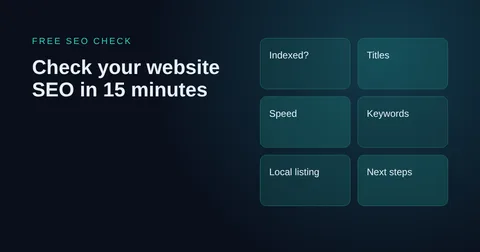
You can check your website's SEO for free in about 15 minutes, using the same tools Google itself provides. This guide walks through a simple search engine optimization check: whether Google has indexed your site, how your pages look in results, how fast they load, which searches you appear for and how your local listing is doing.
No paid software is needed. Everything below uses free tools, mostly from Google, and the checks follow Google's own SEO Starter Guide.
How do you check your website's SEO?
Start with five checks: confirm Google has indexed your site, review your titles and descriptions, test page speed, see which searches you already appear for and check your Google Business Profile. Those five cover most of the problems that stop small business websites from ranking.
You'll use Google Search Console, PageSpeed Insights and a plain Google search. If you only have time for one, set up Search Console: it shows how Google sees your site, for free, straight from Google. For an instant first pass on any page, try our free SEO checker, then work through the on-page SEO checklist.
Is your website indexed by Google?
Search Google for site:yourdomain.com (with your own domain). According to Google's SEO Starter Guide, if you see results pointing to your site, you're in the index; if you see nothing, Google hasn't added your pages yet.
For a page-by-page answer, use the URL Inspection tool in Google Search Console. Paste a page address and it tells you whether that page is indexed, and lets you request indexing after you publish or update it. Google finds most new pages through links, so a new page with no links pointing to it can take longer to appear.
Which free SEO tools should you use?
A handful of free tools covers almost everything a small business needs. Most of them come from Google and Bing, so the data reflects what those search engines actually see.
| Free tool | What it checks | When to use it |
|---|---|---|
| Google Search Console | Indexing, searches you appear for, clicks, errors | Set up once, check monthly |
| PageSpeed Insights | Page speed and Core Web Vitals on mobile and desktop | After design changes or when pages feel slow |
| Rich Results Test | Whether your structured data (FAQ, reviews, business info) is valid | After adding schema markup |
| Bing Webmaster Tools | Indexing and searches on Bing | Set up once, check monthly |
| Google Business Profile | Your listing on Google Maps and local results | Weekly, for reviews and questions |
| A plain Google search | Your titles and descriptions as searchers see them | Any time |
Paid tools such as keyword research suites help with competitor research, but they aren't needed for a basic SEO check.
For content, our keyword density checker shows which words and phrases a page uses most.
How do you check your on-page SEO?
Look at each important page's title, description, main heading, URL and images. Google's guide says a good title is unique to the page, clear and concise, and accurately describes the contents, and a good meta description is short, unique and includes the most relevant points.
Work through this checklist for your homepage and main service pages:
- Title: unique, describes the page, includes the main thing people search for.
- Meta description: one or two sentences that make someone want to click.
- One clear main heading (H1) that matches the page's purpose.
- URL: readable words, not random numbers. Google suggests including words useful to users.
- Images: descriptive alt text that explains what the image shows.
- Internal links: link related pages to each other with descriptive anchor text.
- No keyword stuffing: Google's guide says repeating the same words over and over is against its spam policies.
You can also skip the meta keywords tag: Google Search doesn't use it.
On Shopify, our Shopify SEO guide shows where each of these settings lives.
How do you check every page of your website?
Checking one page tells you about one page. To check all the pages on your site:
- List your pages. In Google Search Console, open Indexing → Pages to see which pages Google has indexed and which it has left out, and why. Searching
site:yourdomain.comon Google gives a rough list too. - Crawl the whole site. A crawler visits every page the way Google does and lists missing titles, duplicate descriptions, broken links and redirect chains in one table. Screaming Frog SEO Spider is free for up to 500 URLs, which covers most small business sites.
- Check your most important pages one by one. Run your homepage, main service pages and best-selling products through our free SEO checker. It checks titles, descriptions, headings, schema, robots.txt and sitemap, and explains each fix.
- Fix the pages that already get impressions first. Search Console's Performance report shows which pages Google is already showing. Small fixes there pay off faster than work on pages nobody sees.
How do you check site speed and Core Web Vitals?
Run your pages through PageSpeed Insights and look at the three Core Web Vitals. Google's guidance sets "good" as Largest Contentful Paint within 2.5 seconds, Interaction to Next Paint under 200 milliseconds and Cumulative Layout Shift under 0.1.
Always check the mobile score first, since many visitors browse on their phones. The most common fixes are compressing large images, removing unused plugins or scripts and choosing better hosting. Search Console's Core Web Vitals report shows the same metrics across your whole site, based on real visitors.
How do you check which keywords you rank for?
Open the Performance report in Google Search Console. It shows the searches you appeared for, with clicks, impressions, click-through rate and average position, and you can filter by page, country and device.
Look for searches where you have impressions but sit in positions 8 to 20. Those are your quickest wins: improving that page's title, content and internal links can move it onto the first page. Searches with many impressions but no clicks usually mean your title or description isn't persuading people to click.
How do you check your local SEO?
Search for your service plus your city, for example "dentist in Gulberg", and see whether your business shows in the map results. Then open your Google Business Profile and check that your name, address, phone, hours, categories and photos are complete and correct.
Google says local results are based mainly on relevance, distance and prominence, and that reviews and a complete profile help. Ask happy customers for reviews and reply to every one. Make sure your business name, address and phone number are written the same way on your website, your profile and directories.
For a full walkthrough of Google Maps rankings and reviews, see our guide to local SEO in Pakistan.
How often should you check your SEO?
A quick check once a month is enough for most small businesses, plus a check after any big website change. Google's guide notes that some changes take effect in hours and others can take several months, so judge results over weeks, not days.
A simple monthly routine: open Search Console, check for indexing errors, look at the Performance report for new searches and drops, and run your two most important pages through PageSpeed Insights.
What should you do after an SEO check?
Fix problems in order of impact: pages that aren't indexed first, then titles and descriptions on your main pages, then speed, then content and links. One well-fixed page that brings inquiries is worth more than fifty small tweaks.
If you'd rather have someone do it for you, see our SEO services in Lahore or our guide to SEO in digital marketing for the bigger picture. You can also book a free strategy call and we'll walk through your results with you.

