Office Automation for Small Businesses in Pakistan: What to Automate and Which Tools to Use
What office automation is, which office tasks to automate first, the tools that suit small businesses in Pakistan, costs and how to avoid common risks.
 By Saad Ali, founder of Agentyra AI
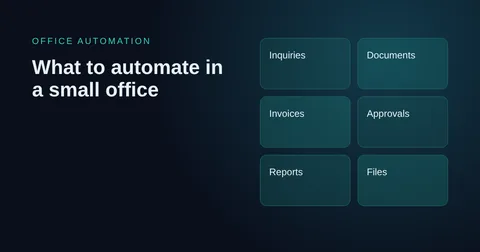
Office automation means using software to handle routine office work, such as documents, email, scheduling, invoices, records and reports, so your team spends less time on admin. For small businesses in Pakistan, much of it can start with tools you already have, like Google Workspace, Microsoft 365 and WhatsApp Business.
This guide explains what office automation is, what to automate first and which tools fit a small office.
What is office automation?
Office automation is the use of software and connected tools to create, store, share and process office information with less manual work. Classic examples are templates, shared documents, automatic email replies and scheduled reports; modern ones connect apps so information flows between them on its own.
It's one part of business automation. The goal isn't to replace staff but to remove the repetitive copying, chasing and re-typing that eats into everyone's day.
What office tasks can you automate?
The best candidates are tasks that repeat every day or week and follow the same steps each time. This table shows common examples and the tools that usually handle them.
| Office task | What automation does | Tools that can do it |
|---|---|---|
| Customer inquiries | Instant first reply, saved to a list, team alerted | WhatsApp Business, website forms, Zapier, Make, n8n |
| Appointments | Online booking, calendar entry, reminders | Google Calendar, Microsoft Bookings, booking apps |
| Documents | Templates filled from a form or sheet | Google Docs, Microsoft Word, automation tools |
| Invoices and payments | Invoices sent on schedule, reminders until paid | Accounting software, automation tools |
| Approvals | Requests routed to the right person and logged | Power Automate, Google Forms, n8n |
| Records | Data entered once and synced everywhere | Google Sheets, Excel, a CRM |
| Reports | Weekly numbers collected and emailed automatically | Google Sheets, Looker Studio, automation tools |
| Files | Attachments saved and named in the right folder | Google Drive, OneDrive, automation tools |
Where should a small office start with automation?
Start where time or customers leak most: usually replying to inquiries, chasing payments or re-typing the same data into several places. Pick one, automate it, and measure the hours saved before moving on.
A simple first step for many Pakistani businesses is WhatsApp: set greeting and away messages in WhatsApp Business so no customer waits in silence, then connect your inquiry form to a shared sheet so nothing gets lost.
Which office automation tools should a small business use?
Use what your team already knows: Google Workspace or Microsoft 365 for documents, email, calendars and storage, plus WhatsApp Business for customer messages. Then add a connector tool like Zapier, Make, n8n or Power Automate to pass information between them.
Power Automate has a free license for cloud flows with standard connectors, which suits Microsoft 365 offices, while the WhatsApp Business app offers greeting and away messages for customer chats. Our comparison of the best workflow automation tools covers the connector options and their free plans.
Is office automation expensive?
It doesn't have to be. Many first steps cost nothing beyond tools you already pay for, such as templates, shared drives, calendar booking and WhatsApp away messages. Connector tools have free plans for light use, and paid plans are usually far cheaper than the staff time they save.
The real cost is setup time and upkeep. A workflow that breaks quietly can cost more than it saves, so give each automation an owner who checks it regularly.
What are the risks of office automation?
The main risks are automations that fail silently, sensitive data in the wrong place, and automatic messages that reach customers with mistakes. All three are avoidable with simple habits.
- Test with real examples before switching anything on.
- Add error alerts so someone hears about a failed run.
- Limit access to customer and financial data to the people who need it.
- Keep a person in the loop for anything involving money, complaints or sensitive information.
Can someone set up office automation for you?
Yes. If you'd rather not build it yourself, an automation agency can map your office's routine work, pick the right tools and build workflows that connect them, with error alerts and a handoff to your team.
We do this for small businesses in Lahore and beyond: see our AI automation agency in Lahore or read what automation means, with business examples. You can also book a free strategy call.

