On-Page SEO Checklist: 12 Checks to Optimize Your Website for Google
An on-page SEO checklist for your website: titles, meta descriptions, headings, keywords, images, URLs and internal links, based on Google's own guide.
 By Saad Ali, founder of Agentyra AI
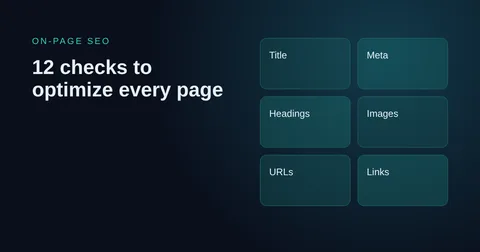
On-page SEO is everything you control on the page itself: the title, description, headings, content, URL, images and internal links. Get these right and Google can understand each page and show it for the right searches.
This on-page SEO checklist covers the 12 checks that matter most for a small business website, based on Google's SEO Starter Guide. Work through it for your homepage and your main service pages first.
What is on-page SEO?
On-page SEO means optimizing the content and HTML of each page so search engines understand what it's about and people want to click it. It's different from off-page SEO (links and reviews from other sites) and technical SEO (speed, crawling and indexing across the whole site).
It's the part of search engine optimization for your website that you can fix today, for free, without waiting on anyone else.
What is the on-page SEO checklist?
Check these 12 items on every important page. The table shows what good looks like and the most common mistake for each.
| Check | What good looks like | Common mistake |
|---|---|---|
| 1. One main topic | The page answers one search intent | One page trying to rank for everything |
| 2. Title | Unique, clear, describes the page, main keyword near the start | Same title on every page, or just the company name |
| 3. Meta description | Short, unique summary that invites the click | Left blank or copied across pages |
| 4. H1 heading | One clear heading that matches the title's promise | No H1, or several |
| 5. Subheadings | H2s that follow the questions people ask | Decorative headings with no meaning |
| 6. Content | Answers the question fully, in plain language | Thin text stuffed with keywords |
| 7. URL | Short, readable words | Random numbers and parameters |
| 8. Images | Compressed, with descriptive alt text | Huge files, no alt text |
| 9. Internal links | Links to related pages with descriptive anchor text | "Click here", or orphan pages nobody links to |
| 10. Structured data | Valid schema for the page type (FAQ, service, article) | None, or markup that doesn't match the page |
| 11. Mobile and speed | Loads fast and reads well on a phone | Slow, cramped mobile layout |
| 12. Clear next step | A call to action that matches the page | No way to contact you |
How do you write a good SEO title?
Make it unique to the page, clear and concise, and accurately descriptive of the content, which is exactly what Google's guide recommends. Put the main thing people search for near the start and your brand at the end.
Google may rewrite titles it thinks don't describe the page well, so the best protection is a title that honestly matches the content. Google's title link guidance also warns against repeated boilerplate and keyword stuffing in titles. There's no hard length limit, but Google truncates long titles to fit the screen, so roughly 50 to 60 characters is a sensible target.
Do meta descriptions still matter?
Yes, for clicks rather than rankings. A good meta description is short, unique to the page and includes its most relevant points, according to Google's guide, and Google often shows it under your title in results.
Write it like a small advert: what the page offers, who it's for and a reason to click. Around 150 characters usually displays in full. Skip the meta keywords tag entirely; Google Search doesn't use it.
How should you use keywords on a page?
Use the main search phrase naturally in the title, the H1 and the first paragraph, then cover related questions and words a real expert would use. Don't repeat the same phrase over and over: Google's guide says keyword stuffing is against its spam policies.
A good test is to read the page aloud. If it sounds written for a robot, rewrite it for a customer. Answering the follow-up questions people ask usually adds the right related words on its own.
To see how often you use each word and phrase on a page, try our free keyword density checker.
How do you optimize images for SEO?
Compress every image, use a modern format like WebP, set its width and height, and write alt text that describes what the image shows. Google describes alt text as a short, descriptive piece of text that explains the relationship between the image and your content.
Large images are the most common cause of slow pages. Google's Core Web Vitals guidance asks for the main content to load within 2.5 seconds, and oversized photos alone can break that on mobile data.
Running a Shopify store? Our Shopify SEO guide shows where to edit titles, alt text and URLs.
What makes a URL SEO-friendly?
Use short, readable words that describe the page, separated by hyphens. Google's URL guidance recommends readable words rather than long ID numbers, and hyphens rather than underscores between words.
For example, /seo-services-lahore/ is better than /page?id=4821. Once a page is live and ranking, avoid changing its URL; if you must, set up a 301 redirect from the old address.
Why do internal links matter for on-page SEO?
Internal links help Google discover your pages and understand how they relate, and they guide visitors to the next useful page. Google's guide notes that the vast majority of new pages it finds every day are found through links.
Link from your strongest pages, like the homepage and popular posts, to the pages you want to rank, using descriptive anchor text such as "local SEO for clinics" instead of "read more". Every important page should have at least a few links pointing to it.
If you serve customers in one city, on-page work goes hand in hand with local SEO and your Google Business Profile.
How do you check your on-page SEO?
Open each page, read the title and description in a Google search, check the headings and images, and run the page through our free SEO checker. Then fix the biggest gaps first: missing or duplicate titles, thin content and pages with no internal links.
Our guide on how to check your website's SEO covers the free tools, and our free SEO checker runs the main on-page checks on any URL in seconds. If you'd like it done for you, see our SEO services in Lahore.

