n8n 3.0 fix guide
n8n 3.0: How to Migrate AI Agent v1 to the Tools Agent
n8n 3.0 removes AI Agent version 1 and its Conversational, ReAct and SQL Agent modes. We tested what actually happens on 3.0.1, and what we found is quieter and riskier than an error. Here is how to find affected workflows and migrate them.
Tested on n8n 2.47.7 and 3.0.1. Screenshots included.
What happens to AI Agent v1 workflows in n8n 3.0?
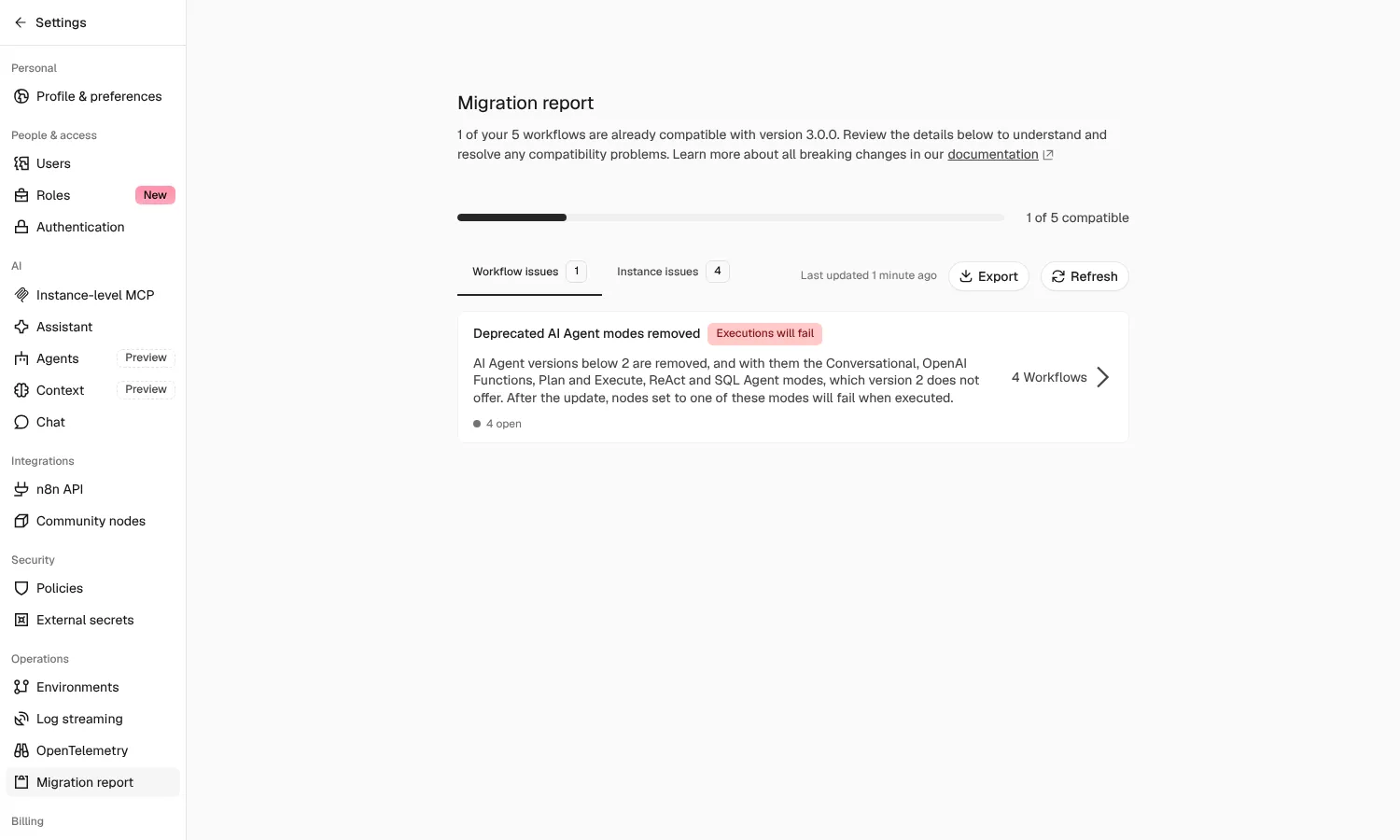
n8n 3.0 removes version 1 of the AI Agent node and its agent modes: Conversational, OpenAI Functions, Plan and Execute, ReAct and SQL Agent. n8n's breaking-changes page says to update these workflows to the latest AI Agent, which uses the Tools Agent, and the Migration Report in n8n 2.47.7 labels them "Executions will fail".
In our test on n8n 3.0.1 early access, they didn't fail. They kept running, but as a Tools Agent: the Agent setting disappeared from the node, custom prompts were dropped, and a SQL Agent with no database still reported success. That is why it's worth migrating deliberately rather than waiting for an error.
What did our test show on n8n 3.0.1?
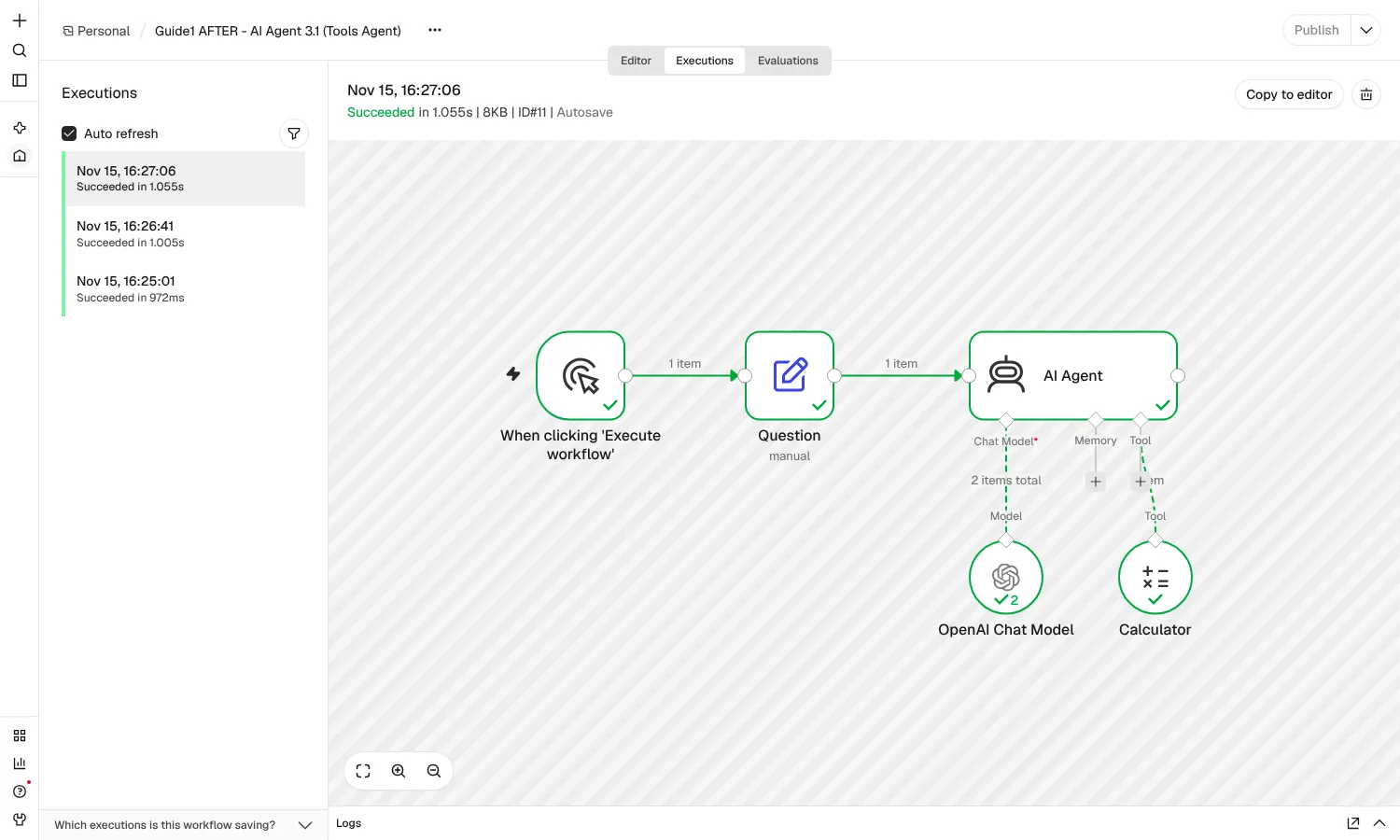
We built the same small agent workflow five ways and ran each one on n8n 2.47.7 and on 3.0.1: a trigger, a question ("How many PKR is 19 USD at 280 PKR per USD? Use the calculator."), an AI Agent, an OpenAI Chat Model and a Calculator tool. Every old-style agent still ran on 3.0.1, but each one silently became a Tools Agent.
| Workflow | n8n 2.47.7 | n8n 3.0.1 early access |
|---|---|---|
| AI Agent v1.7, Conversational Agent | Ran with the prompt-based agent; Calculator used | Ran, but as a Tools Agent (native tool calling); Calculator used |
| AI Agent v1.7, ReAct Agent | Ran with the ReAct prompt; Calculator used | Ran, but as a Tools Agent; Calculator used |
| AI Agent v1.7, ReAct with a custom prompt prefix | Prefix sent to the model | Ran, but the custom prefix never reached the model |
| AI Agent v1.7, SQL Agent, no database connected | Error: "Node does not have any credentials set" | "Succeeded" with no database: only the model ran |
| AI Agent 3.1, Tools Agent (the fix) | Ran; Calculator used | Ran; Calculator used |
We could see which agent ran from what n8n sent to the model: on 2.47.7 the old agents sent prompt-based requests with no tools attached, while on 3.0.1 every converted agent that had a tool sent the Calculator to the model as a native tool.
Why is the SQL Agent case dangerous?
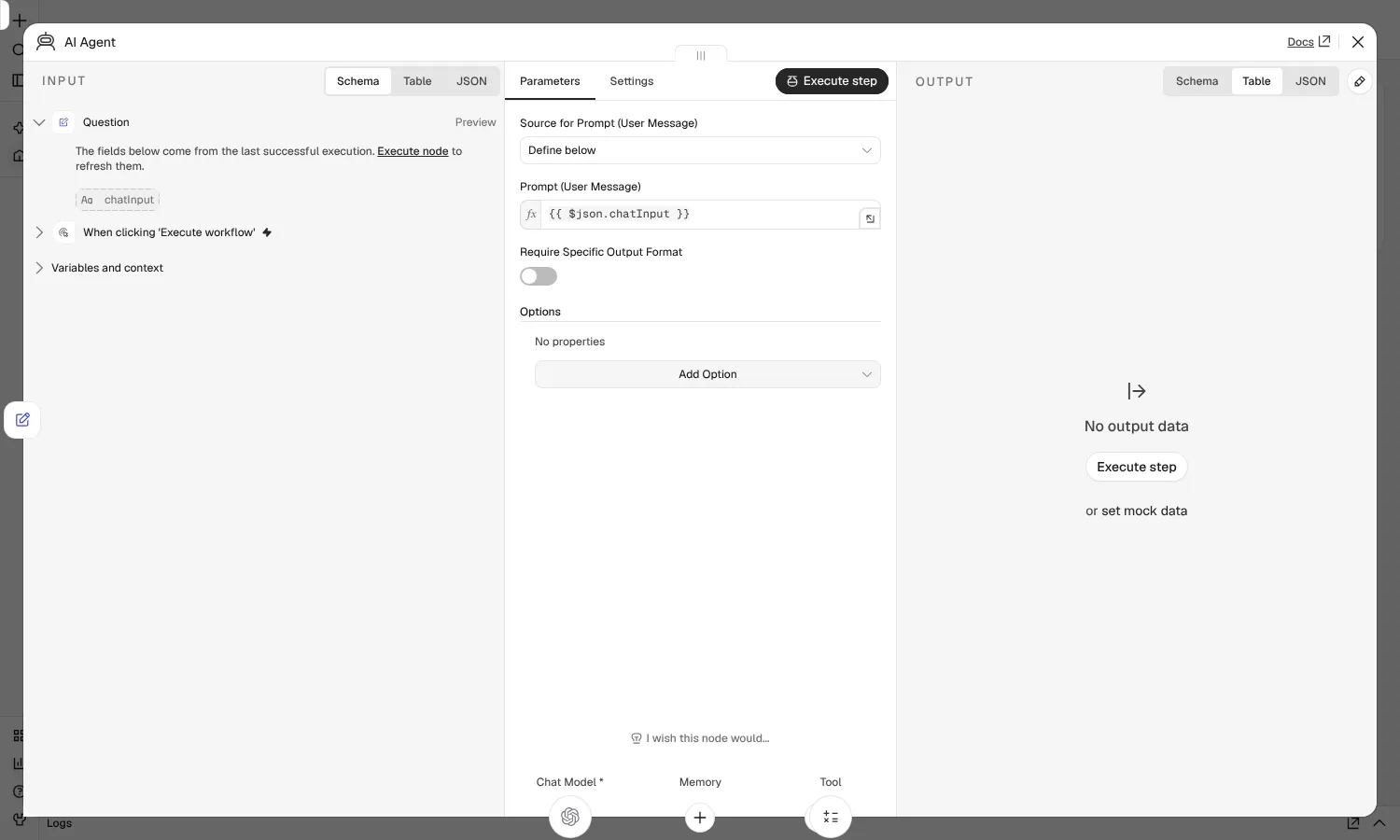
Because the workflow looks healthy while giving made-up answers. On 2.47.7 our SQL Agent stopped with a clear credentials error; on 3.0.1 the same node no longer queried any database, yet the execution was marked as succeeded and returned an answer from the model alone.
If you use the SQL Agent for reports, lookups or anything a customer sees, don't rely on the execution status after upgrading. Rebuild it with a database tool, as below, and check that the database node actually runs.
How do you find which workflows use AI Agent v1?
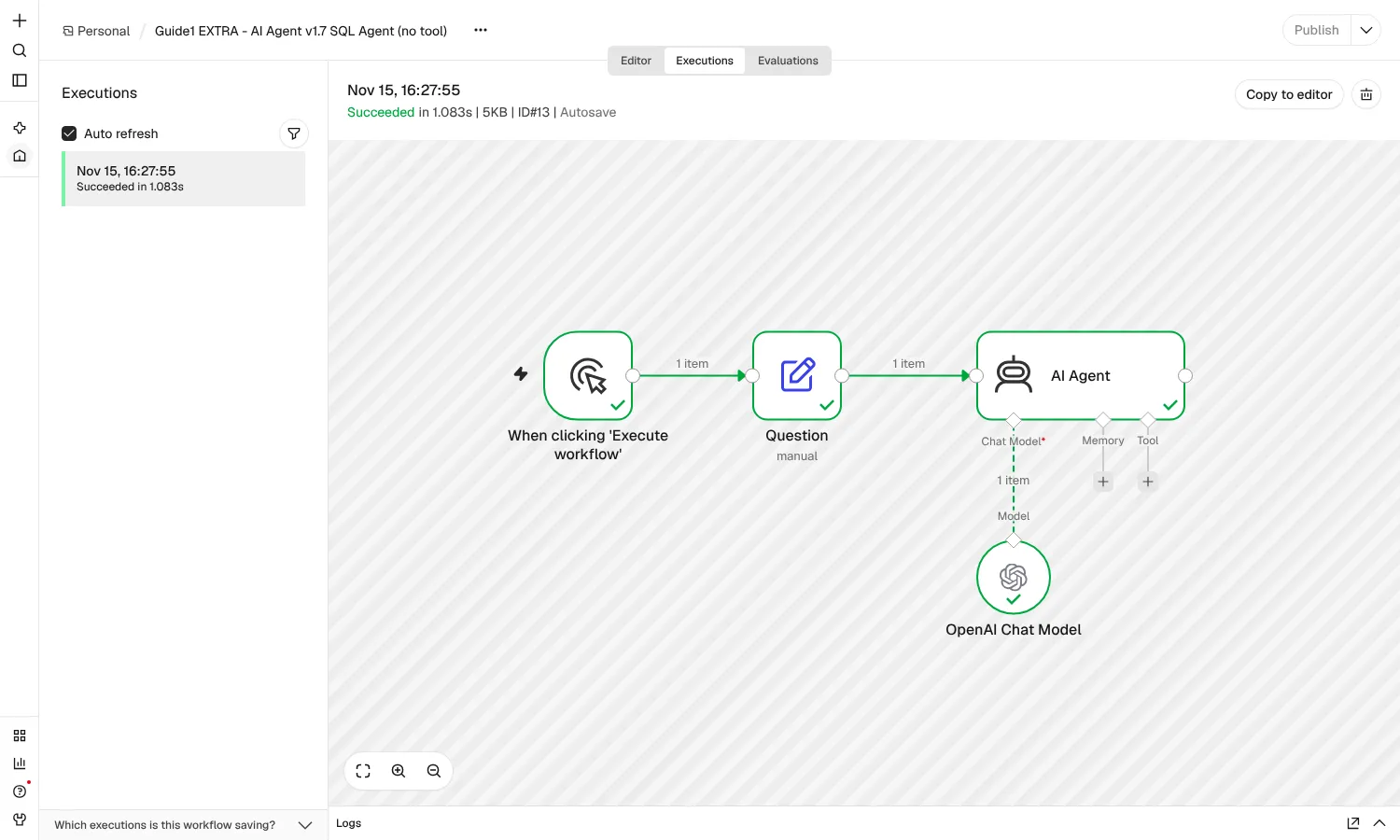
Open Settings, then Migration Report, on n8n 2.39 or later; n8n's announcement introduced it for exactly this upgrade. Under "Deprecated AI Agent modes removed" it lists every affected workflow, with n8n's own fix note.
You can also open each AI Agent node in 2.x: v1 nodes show an Agent dropdown (Conversational, ReAct and so on) and a yellow warning that the mode is removed in v3.
How do you migrate AI Agent v1 to the Tools Agent?
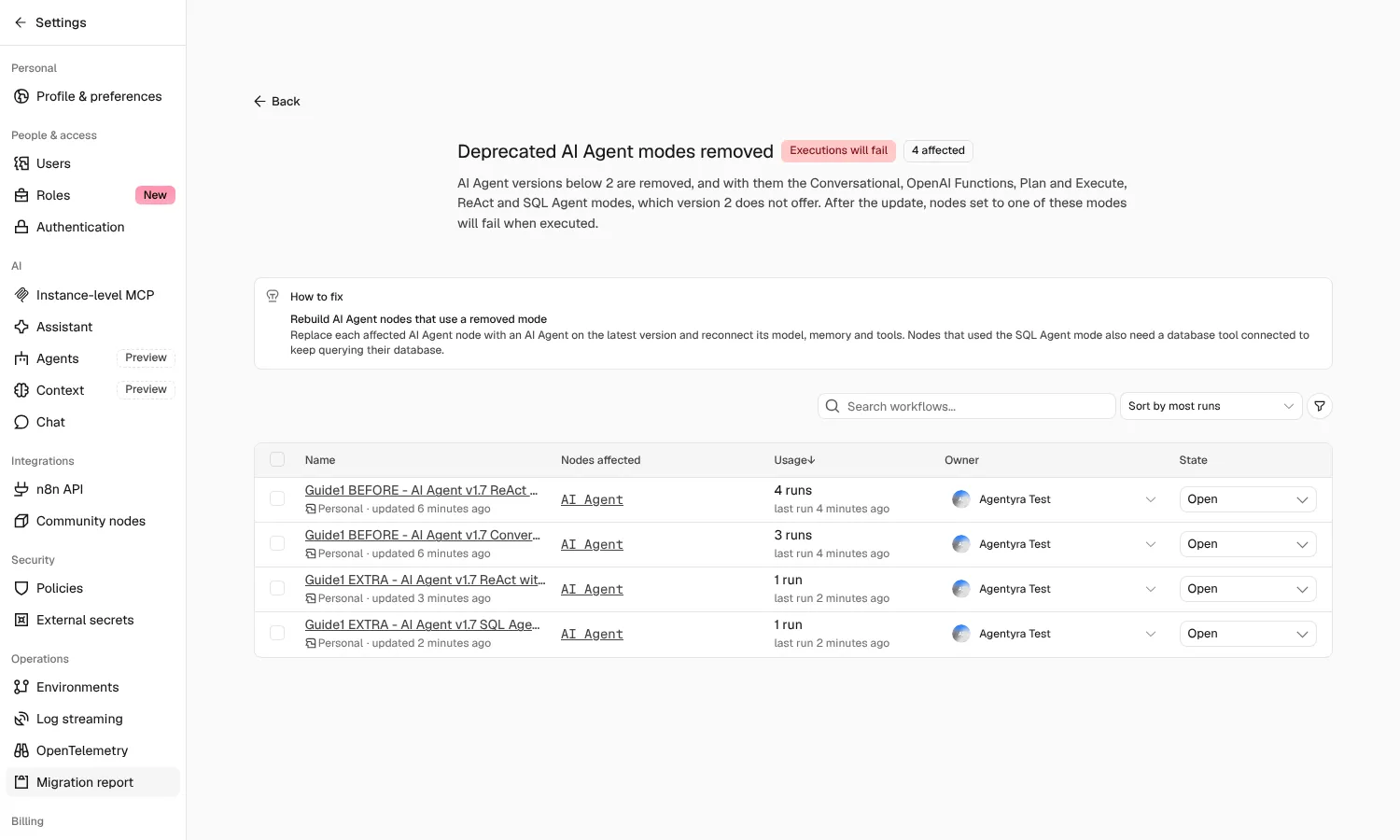
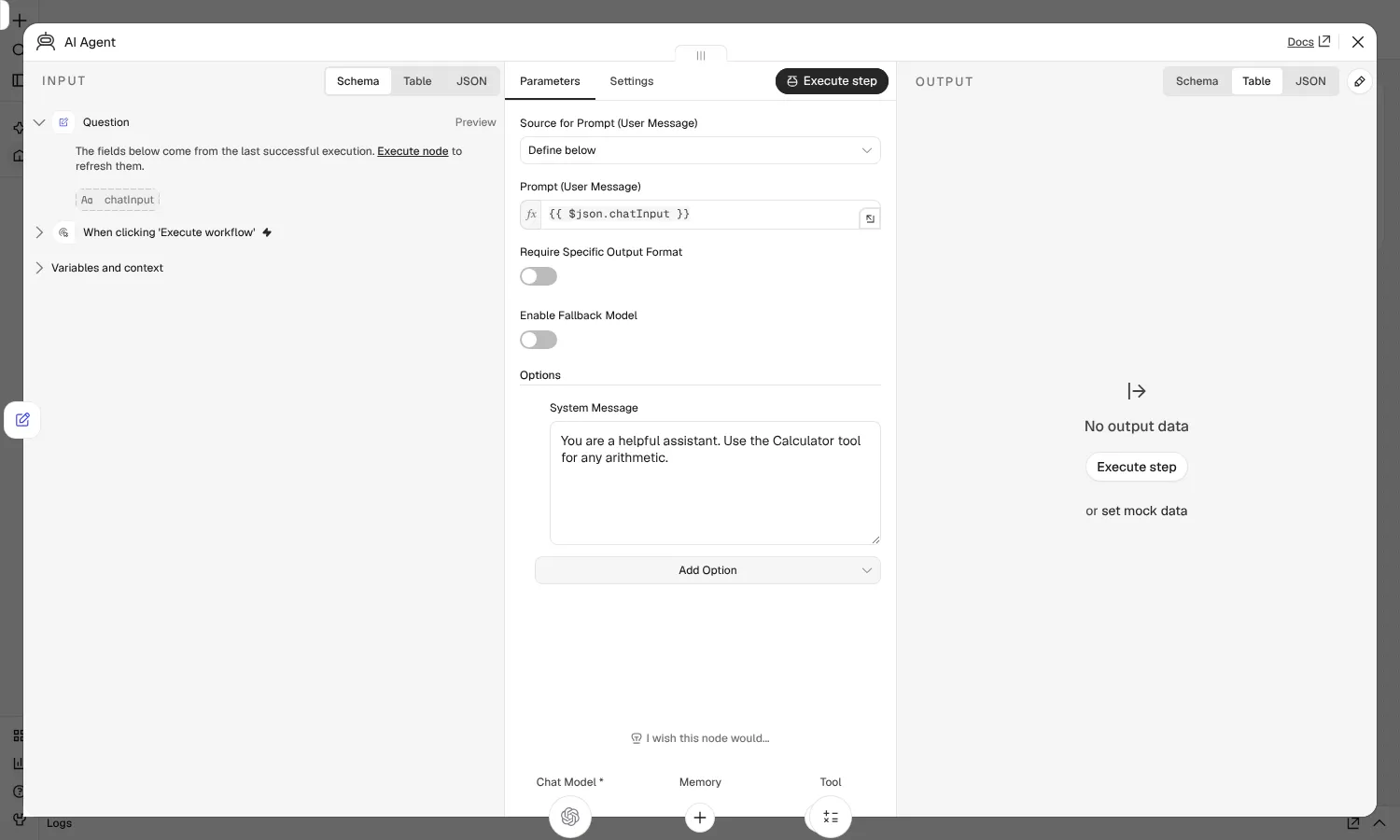
Replace each old AI Agent node with a new one, reconnect its sub-nodes, and move any custom prompt into the System Message. These are the steps we followed for the working version:
- Open Settings > Migration Report to list affected workflows.
- In each workflow, add a new AI Agent node; it defaults to the latest version (3.1 in our test).
- Reconnect the same Chat Model, Memory and Tool sub-nodes, and the main input and output.
- Move any custom prompt text (ReAct or Conversational prefix, suffix or system text) into Options > System Message.
- For a former SQL Agent, connect a Postgres or MySQL tool sub-node to the new AI Agent; without it, the agent has no database access.
- Use a chat model that supports tool (function) calling.
- Delete the old node, run the workflow and check in Executions that each tool node actually ran.
What happens to custom prompts and prefixes?
In our test they were lost: a ReAct agent with a custom prefix ran on 3.0.1, but the prefix never reached the model. The Tools Agent doesn't use the old prefix and suffix fields, so the instructions simply stop applying.
Before upgrading, copy any custom prompt text out of your v1 agents. After migrating, paste the instructions into the new node's System Message and test that the agent follows them.
Does your chat model need to support tool calling?
Yes, for the Tools Agent to use tools. In our 3.0.1 test every converted agent with a tool sent it to the model as a native function call, where the v1 Conversational and ReAct agents had used text prompts instead.
Many hosted models support this, but some local or older models don't, so check your model's documentation. If you run your own model, test the migrated workflow and check in Executions that the tool nodes ran, rather than assuming the answer came from a tool.
Can you download the tested workflow?
Yes. Download the migrated workflow (JSON): it's the working AI Agent 3.1 version we exported from n8n 3.0.1, with our test credential removed. Import it in n8n with Workflows > Import from file.
After importing, connect your own OpenAI credential to the OpenAI Chat Model node and pick a real model; the file still names "mock-gpt", the local test model we used.
How did we test this?
We ran n8n 2.47.7 and n8n 3.0.1 (the newest 3.x tag on Docker Hub on the test date) side by side in Docker with fresh databases, on 15 November 2026 between 16:24 and 16:28 Pakistan time. Each workflow was run with the n8n CLI and checked in the Executions view.
- What ran for real: every n8n node, including the AI Agent, the Calculator tool and each version's handling of the agent settings.
- What was mocked: the chat model. It was a local OpenAI-compatible server returning fixed replies, so the answer text itself proves nothing; we logged exactly what n8n sent to it.
- What we didn't connect: a real database. The SQL Agent error on 2.47.7 comes from missing Postgres credentials.
- Version caveat: 3.0.1 is early access, and n8n may change this behaviour before the stable 3.x release planned for early December. We will re-test and update this page then.
Need help with the n8n 3.0 upgrade?
If you have a few agents, the steps above usually take minutes per workflow. Help makes sense when you have many agents, SQL Agents feeding real reports, or production workflows you can't afford to test live.
See the full n8n 3.0 upgrade guide for every other breaking change, our tested guide on replacing Function nodes with the Code node, our n8n and Make.com automation service, or book a free strategy call.