n8n 3.0 fix guide
n8n 3.0: How to Replace Function and Function Item Nodes with the Code Node
n8n 3.0 removes the Function and Function Item nodes. We upgraded a real database from n8n 1.x to 2.47.7 to 3.0.1 to see what happens, and found one failure you will notice and one you won't. Here is how to convert both nodes to the Code node safely.
Tested on n8n 1.123.99, 2.47.7 and 3.0.1. Screenshots and workflow JSON included.
What happens to Function nodes in n8n 3.0?
n8n 3.0 removes the legacy Function and Function Item nodes. n8n's breaking-changes page says to replace them with the Code node, and the Migration Report in n8n 2.47.7 labels both "Executions will fail".
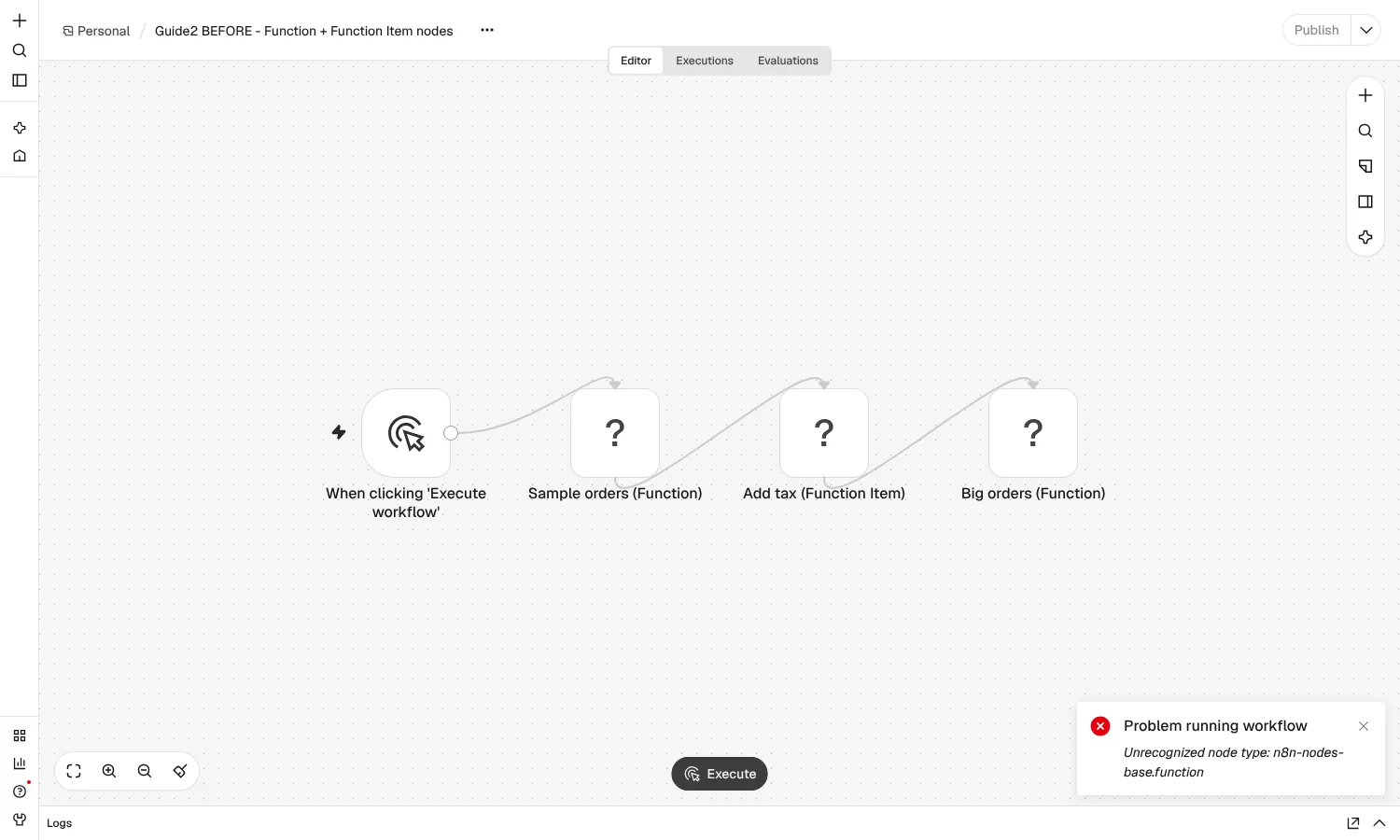
In our test that is exactly what happened. After upgrading to n8n 3.0.1, the workflow that still used Function nodes stopped with Unrecognized node type: n8n-nodes-base.function. The nodes showed as question marks, and opening one said "Install this node to use it". The code inside could no longer be viewed, so convert these nodes before you upgrade, not after.
What did our test show?
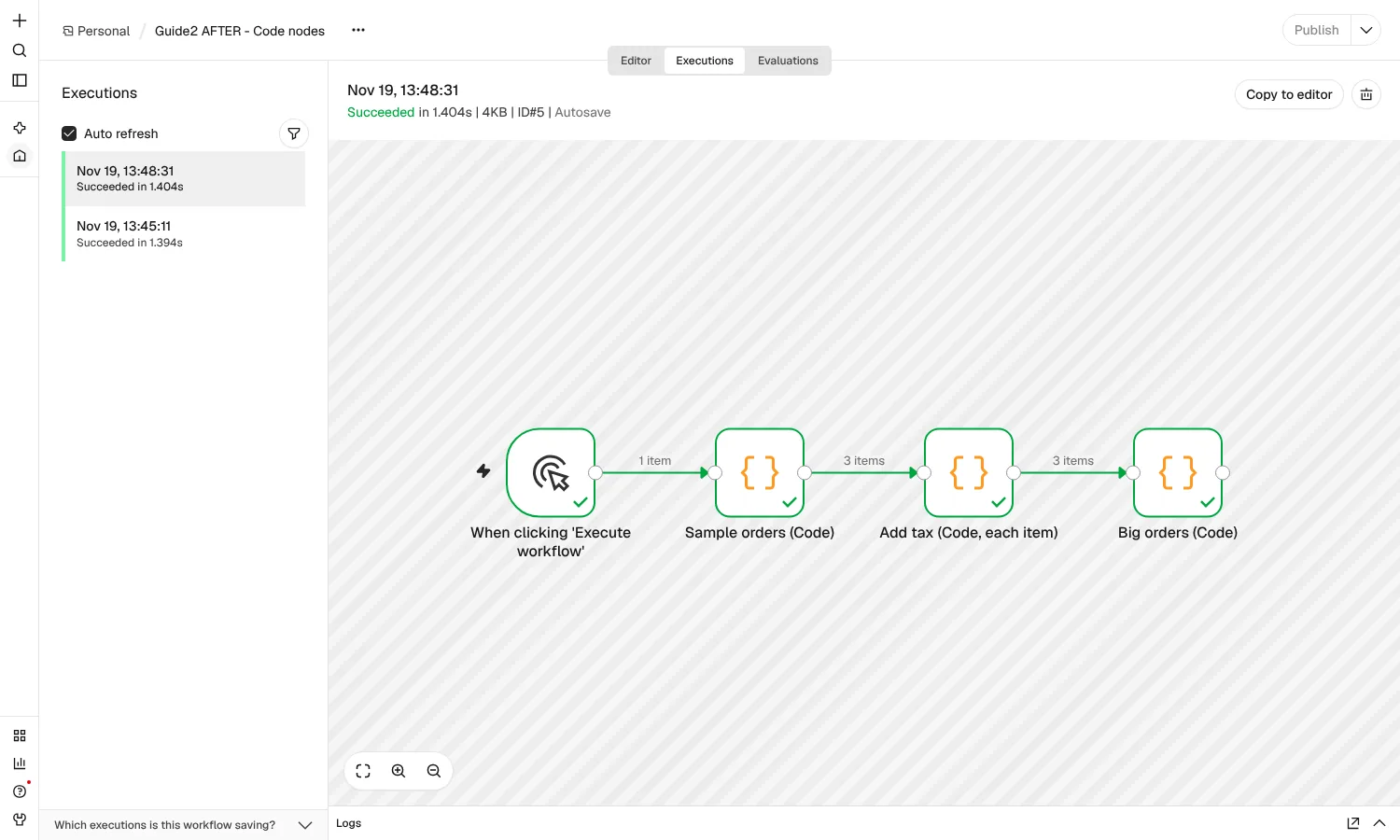
We built one small order workflow three ways: a node that creates three orders, a node that adds 17% sales tax and a total to each order, and a node that keeps orders of 10,000 or more. We created all three on n8n 1.123.99, then upgraded the same database to 2.47.7 and to 3.0.1, running every workflow at each step.
| Workflow | n8n 1.123.99 | n8n 2.47.7 | n8n 3.0.1 early access |
|---|---|---|---|
| Function + Function Item nodes | Correct | Correct, but the nodes are locked for editing | Fails: "Unrecognized node type" |
| Code nodes, converted properly (the fix) | Correct | Correct | Correct |
| Old code pasted into Code nodes unchanged | Fails: "Invalid output format [item 0]" | "Succeeded", but tax and total missing | "Succeeded", but tax and total missing |
The correct result on every passing run was the same: order A-101 with tax 2,040 and total 14,040, and order A-103 with tax 5,270 and total 36,270.
Can you just paste Function code into a Code node?
Partly. Code from a Function node that uses items worked unchanged in a Code node set to "Run Once for All Items".
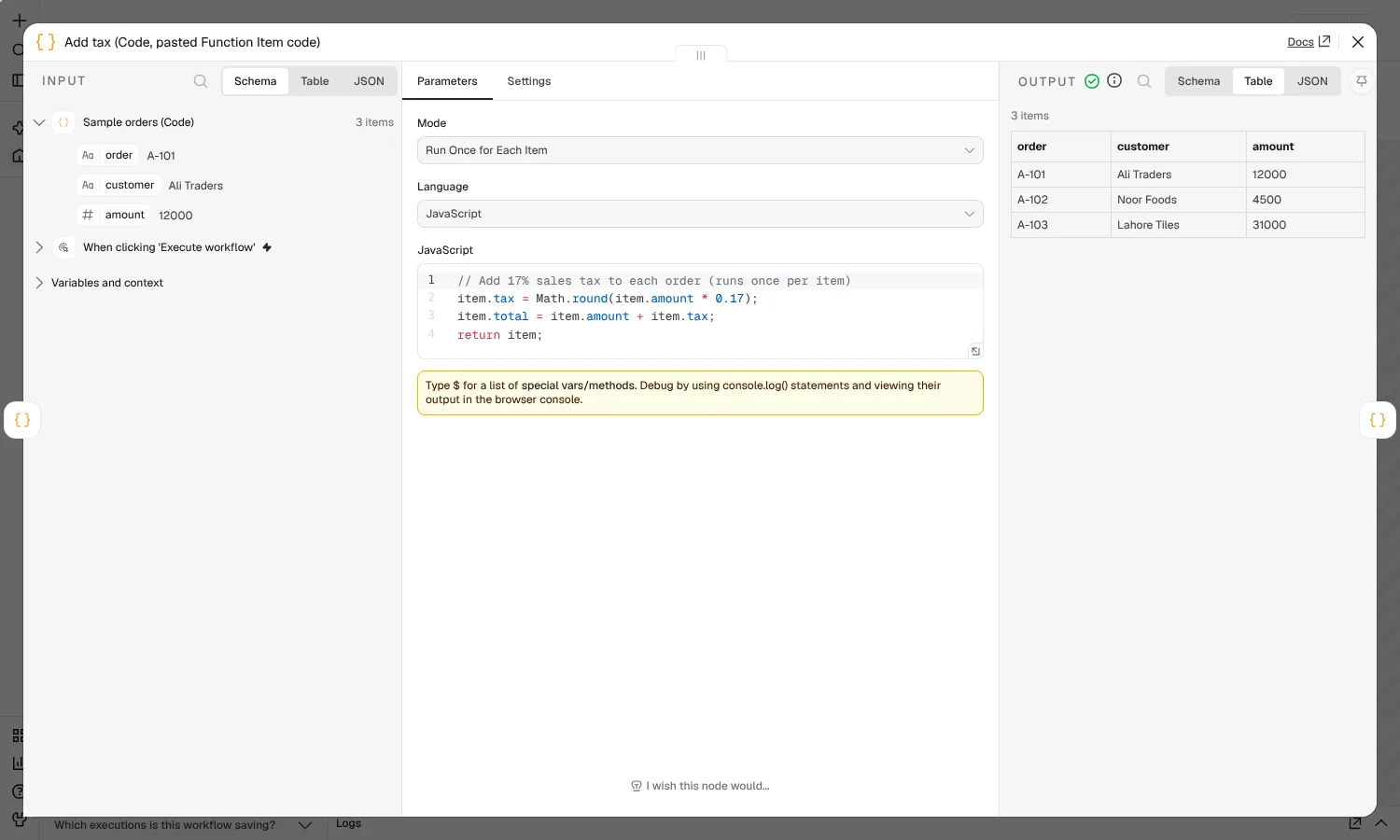
Code from a Function Item node did not, and it failed in the worst way. Pasted into a Code node set to "Run Once for Each Item", it ran without any error on 2.47.7 and 3.0.1, but the tax and total fields it added were silently dropped. A workflow converted like this looks healthy while sending incomplete data to your sheet, CRM or invoice.
The reason: in a Function Item node, item was the order's data. In the Code node, item is the whole n8n item, { json: {...} }, so item.tax = ... writes to the wrong place and n8n discards it. On n8n 1.x the same paste at least stopped with an error.
How do you find workflows that use Function nodes?
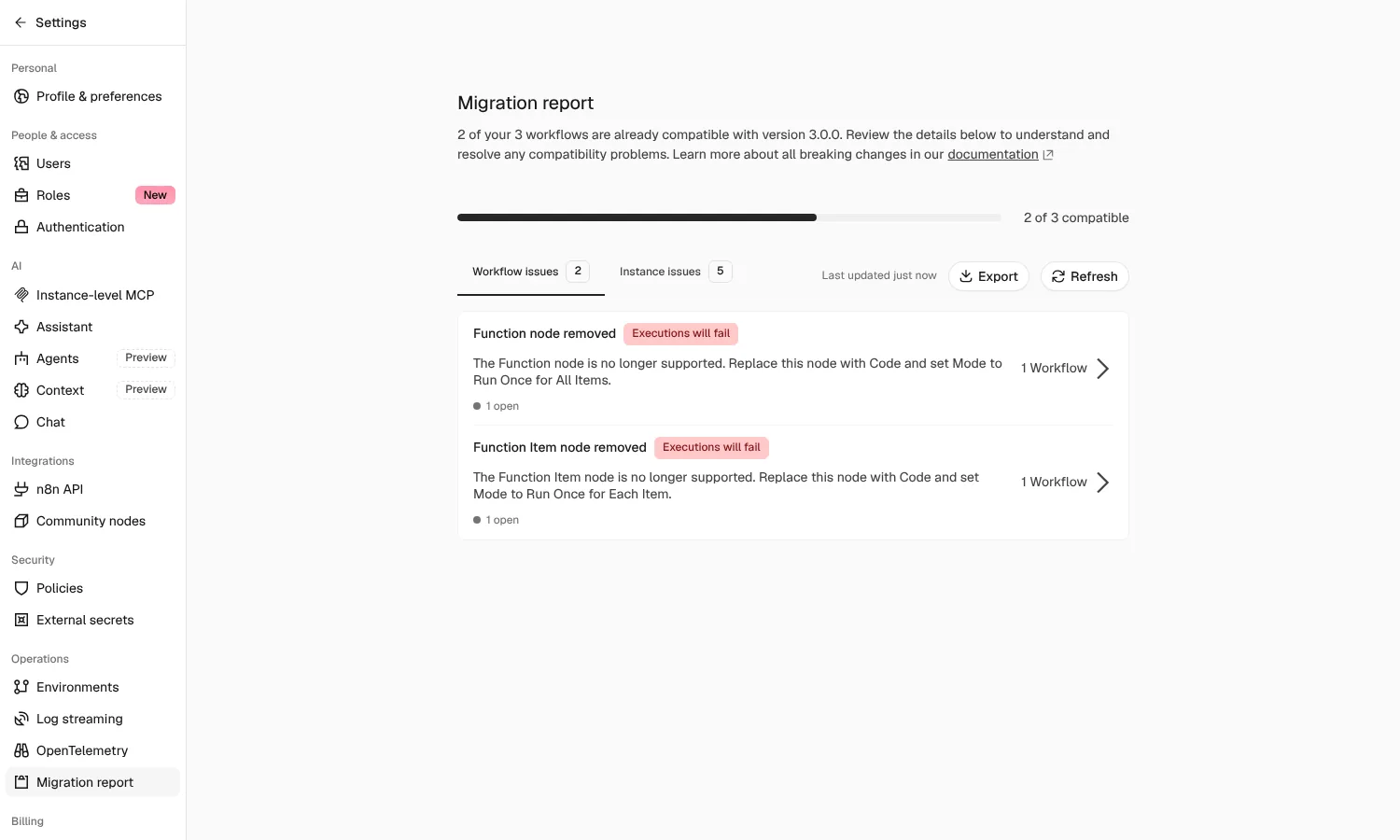
On n8n 2.x, open Settings → Migration Report. It lists "Function node removed" and "Function Item node removed", each marked "Executions will fail", with the number of affected workflows. Click through to see each one.
How do you convert a Function node to a Code node?
Add a Code node, set Mode to Run Once for All Items and move the code across. Replace items with $input.all(). The old name still ran in our test, but $input.all() is the documented way.
Before (Function node):
const big = items.filter(i => i.json.amount >= 10000);
for (const i of big) { i.json.priority = 'high'; }
return big;
After (Code node, Run Once for All Items):
const big = $input.all().filter(i => i.json.amount >= 10000);
for (const i of big) { i.json.priority = 'high'; }
return big;
How do you convert a Function Item node to a Code node?
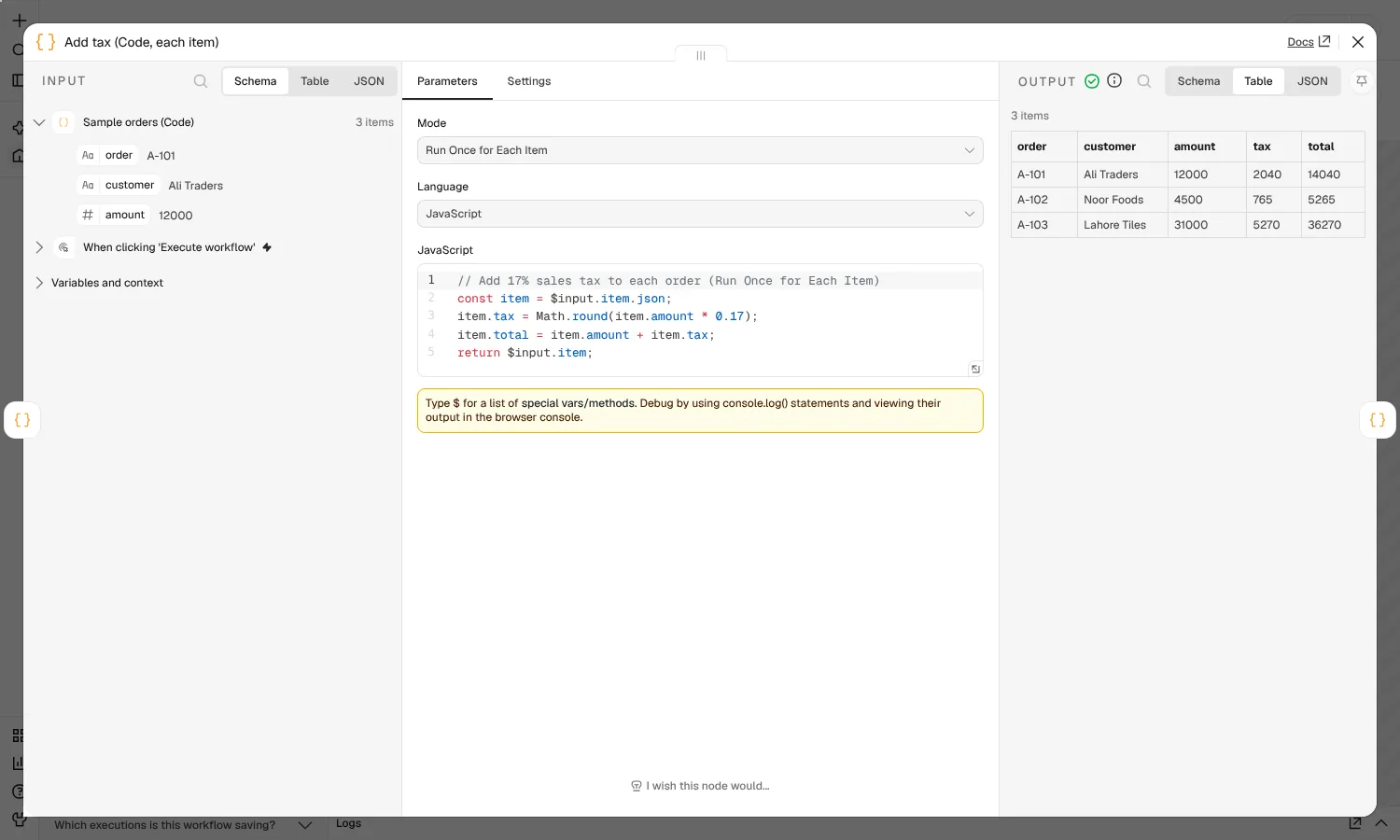
Add a Code node, set Mode to Run Once for Each Item, read the data from $input.item.json, change it, and return $input.item.
Before (Function Item node):
item.tax = Math.round(item.amount * 0.17);
item.total = item.amount + item.tax;
return item;
After (Code node, Run Once for Each Item):
const item = $input.item.json;
item.tax = Math.round(item.amount * 0.17);
item.total = item.amount + item.tax;
return $input.item;
Then check the result: run the old node and the new one on the same input and compare the output in Table view before you delete anything.
Can you still edit or import Function nodes on n8n 2.x?
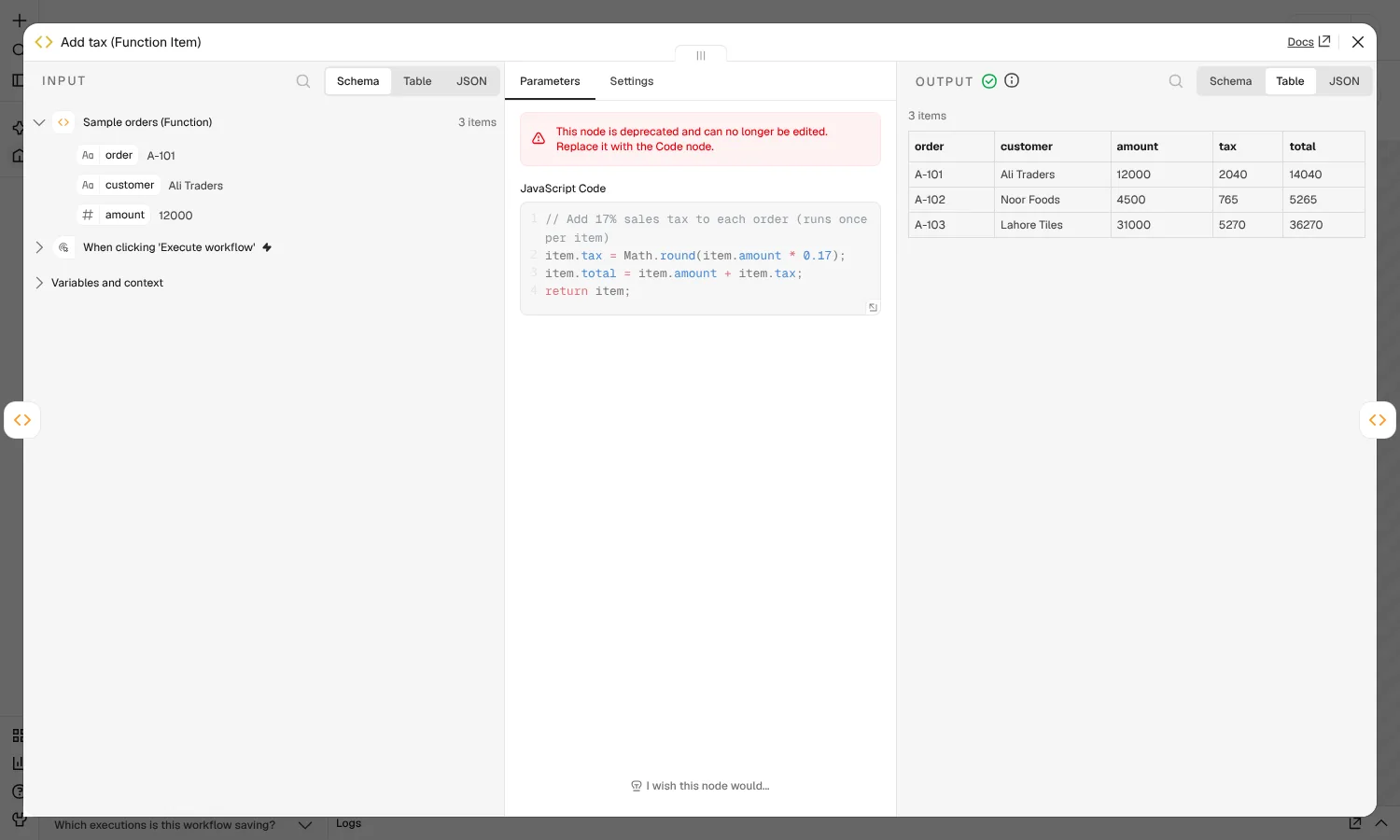
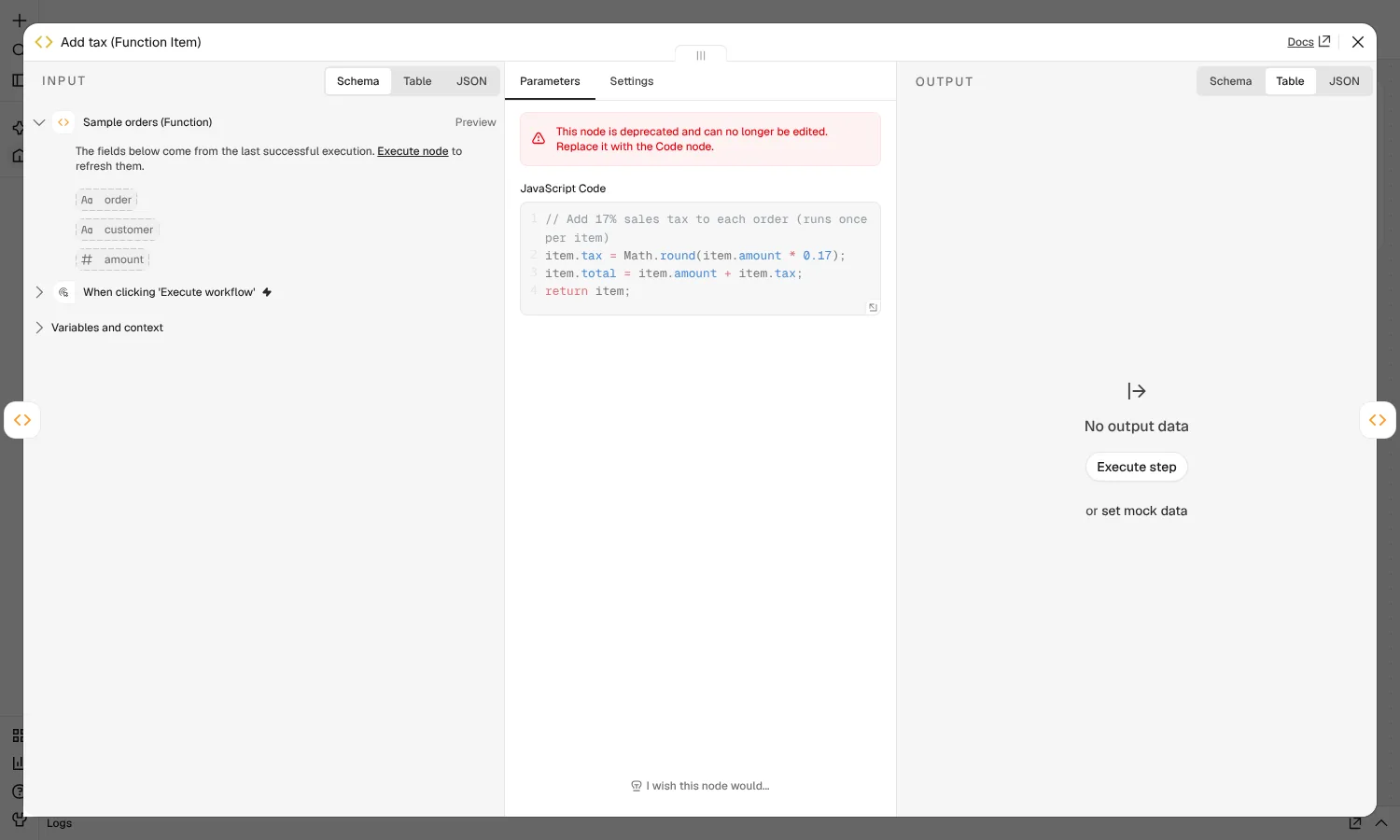
Not really. On n8n 2.47.7 our existing Function nodes still ran, but the editor marked them "deprecated and can no longer be edited", so you can read the code but not change it.
We also tried to import a workflow file containing Function nodes into a fresh n8n 2.47.7 with the CLI, and it was refused: "this node type is deprecated. Replace it with the Code node". If you keep old 1.x workflow backups, convert them before you need to restore them.
Can you download the tested workflow?
Yes. Download the converted workflow (JSON): the three Code nodes we ran on n8n 2.47.7 and 3.0.1. Import it with Workflows > Import from file and compare its code with your own Function nodes. It needs no credentials.
How did we test this?
We ran n8n in Docker on 19 November 2026, between 13:42 and 13:58 Pakistan time. We created the workflows on n8n 1.123.99, then upgraded the same database to 2.47.7 and then to 3.0.1 (the newest 3.x tag on Docker Hub that day), running each workflow with the n8n CLI and checking the results in the editor.
- What ran for real: everything. No AI model or external service was involved.
- What we didn't test: n8n Cloud, and importing through the editor instead of the CLI.
- Version caveat: 3.0.1 is early access. We will re-test on the stable 3.x release planned for early December and update this page.
Need help with the n8n 3.0 upgrade?
A few Function nodes usually take minutes each to convert. Help makes sense when you have many workflows, Function Item code that feeds invoices or reports, or production workflows you can't afford to break.
See the full n8n 3.0 upgrade guide, our tested guides on migrating AI Agent v1 to the Tools Agent and replacing Cron and Interval with the Schedule Trigger, our n8n and Make.com automation service, or book a free strategy call.