n8n 3.0 fix guide
n8n 3.0: How to Replace Cron and Interval Nodes with the Schedule Trigger
n8n 3.0 removes the Cron and Interval trigger nodes. We left scheduled workflows running while we upgraded one database from n8n 1.x to 2.47.7 to 3.0.1. On 3.0.1 they simply stopped, and nothing recorded a failure. Here is how to find them and move each schedule to the Schedule Trigger.
Tested on n8n 1.123.99, 2.47.7 and 3.0.1. Real scheduled runs counted.
What happens to Cron and Interval workflows in n8n 3.0?
n8n 3.0 removes the old Cron and Interval trigger nodes. n8n's breaking-changes page says to replace both with the Schedule Trigger, and the Migration Report in n8n 2.47.7 labels them "Executions will fail".
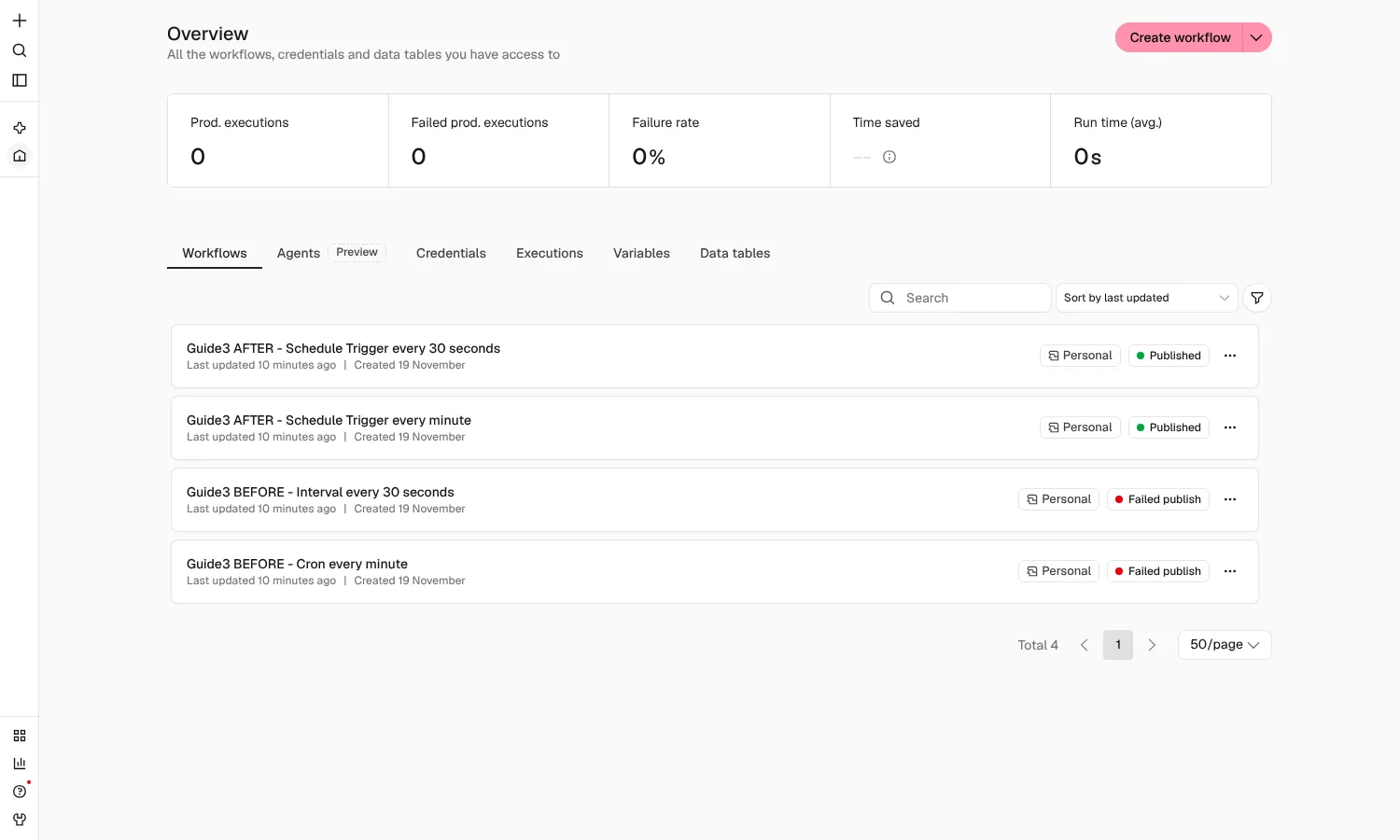
In our test, the scheduled workflows did not show a failed execution. They just stopped. After the upgrade to n8n 3.0.1, a Cron workflow set to run every minute and an Interval workflow set to run every 30 seconds ran zero times. The only traces were one line in the server log at startup and a red "Failed publish" badge in the workflow list.
What did our test show?
We published four scheduled workflows that only log the time they ran: one on a Cron node, one on an Interval node and two Schedule Trigger replacements. We let each version run for about three minutes, upgraded the same database to the next version, and counted the scheduled runs n8n saved.
| Workflow | n8n 1.123.99 | n8n 2.47.7 | n8n 3.0.1 early access |
|---|---|---|---|
| Cron, every minute | 3 runs | 2 runs | 0 runs |
| Interval, every 30 seconds | 6 runs | 5 runs | 0 runs |
| Schedule Trigger, every minute (the fix) | 4 runs | 2 runs | 4 runs |
| Schedule Trigger, every 30 seconds (the fix) | 6 runs | 5 runs | 7 runs |
Every run that happened succeeded. The windows were 3 to 4 minutes long, so the counts show whether a trigger fired, not an exact rate. On 3.0.1 the server log said: Workflow cannot run on this instance: "Cron": Unrecognized node type: n8n-nodes-base.cron, and the same for Interval.
Will an Error Workflow alert you when a Cron workflow stops?
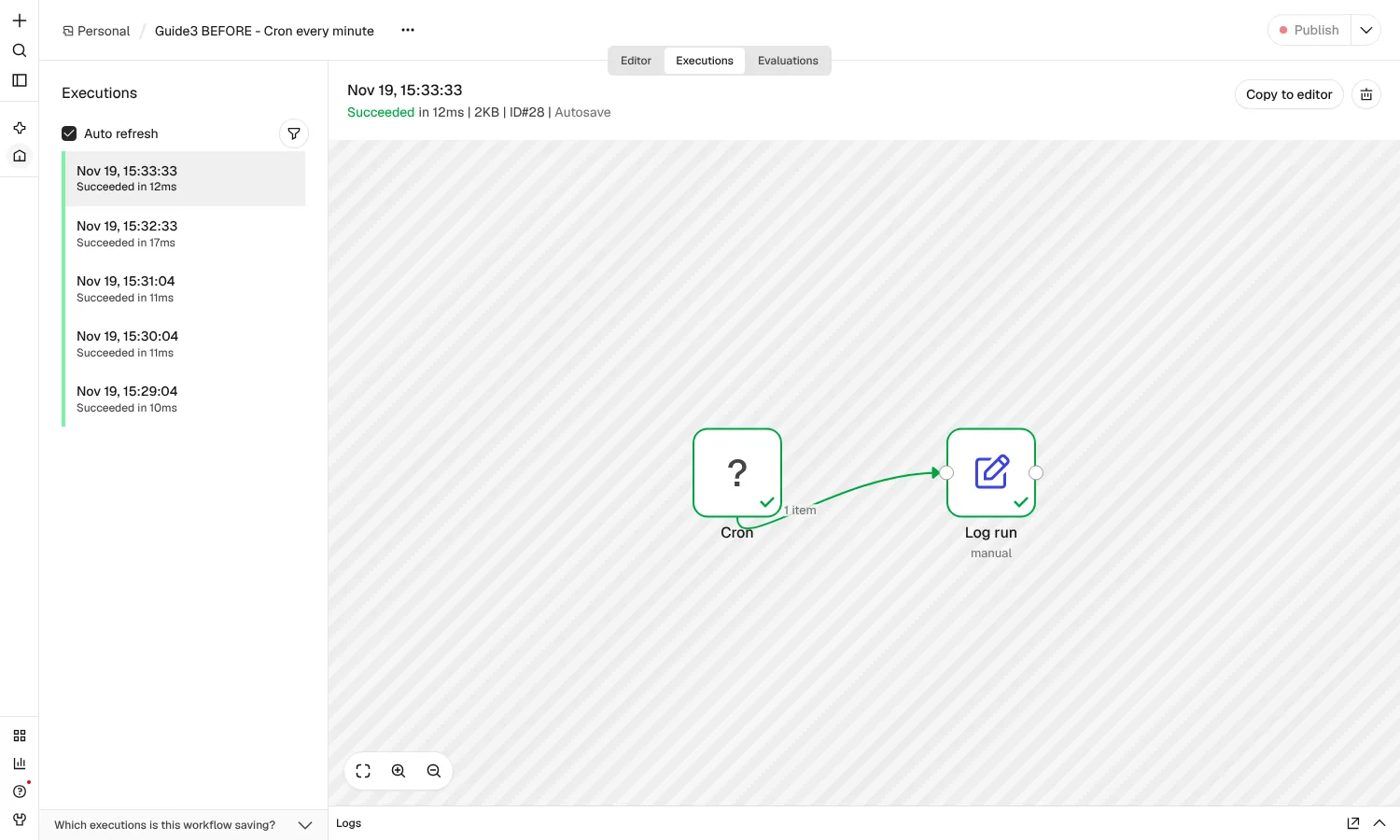
Not in our test. An Error Workflow runs when an execution fails, but on 3.0.1 these workflows never start an execution at all, so there is nothing to fail. The overview showed 0 failed production executions while both old schedules had stopped.
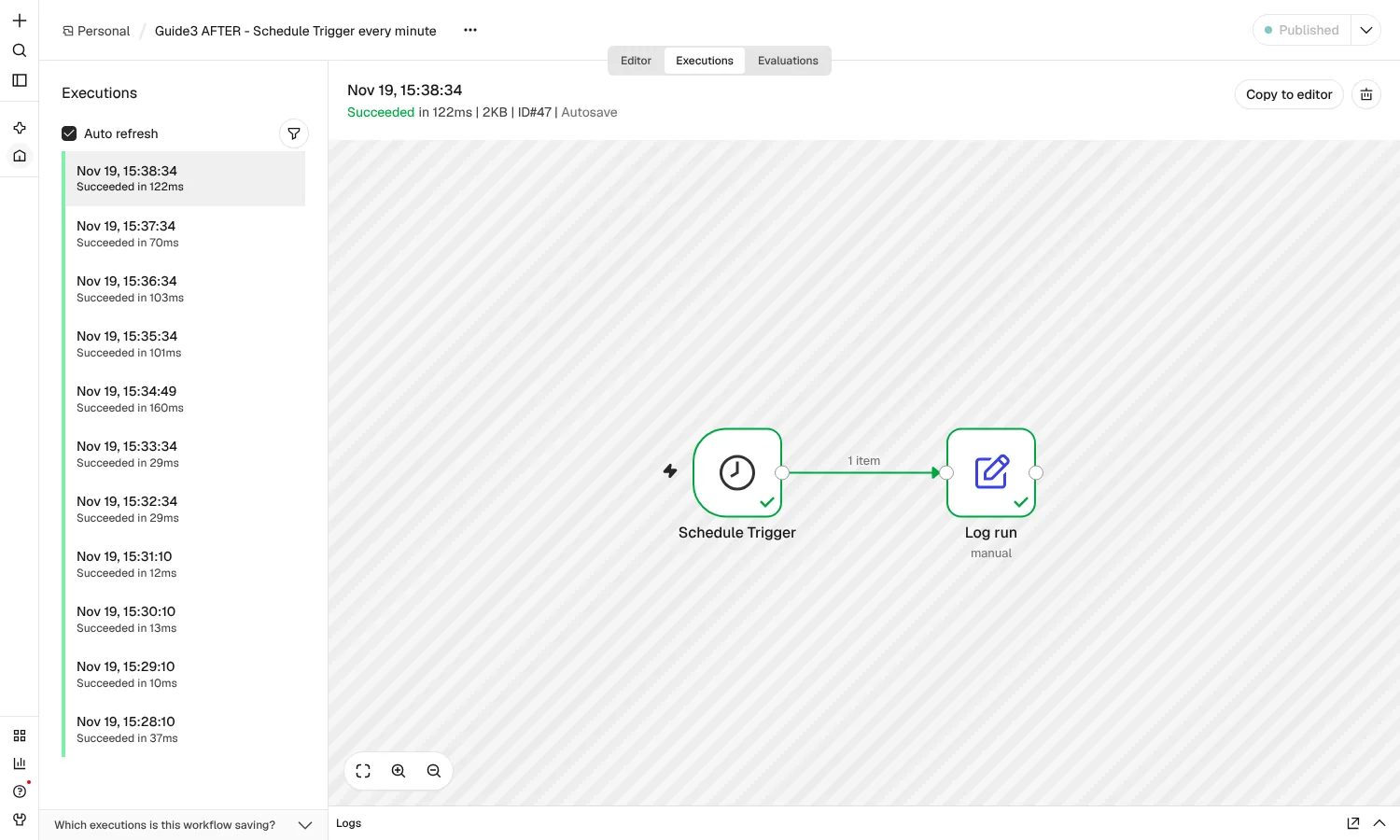
That makes this change easy to miss: a nightly report, a reminder or a sync can stop quietly and you only notice when someone asks where it went. After upgrading, check the workflow list for any "Failed publish" badge, and check that each scheduled workflow's latest execution is recent.
How do you find workflows that use Cron or Interval?
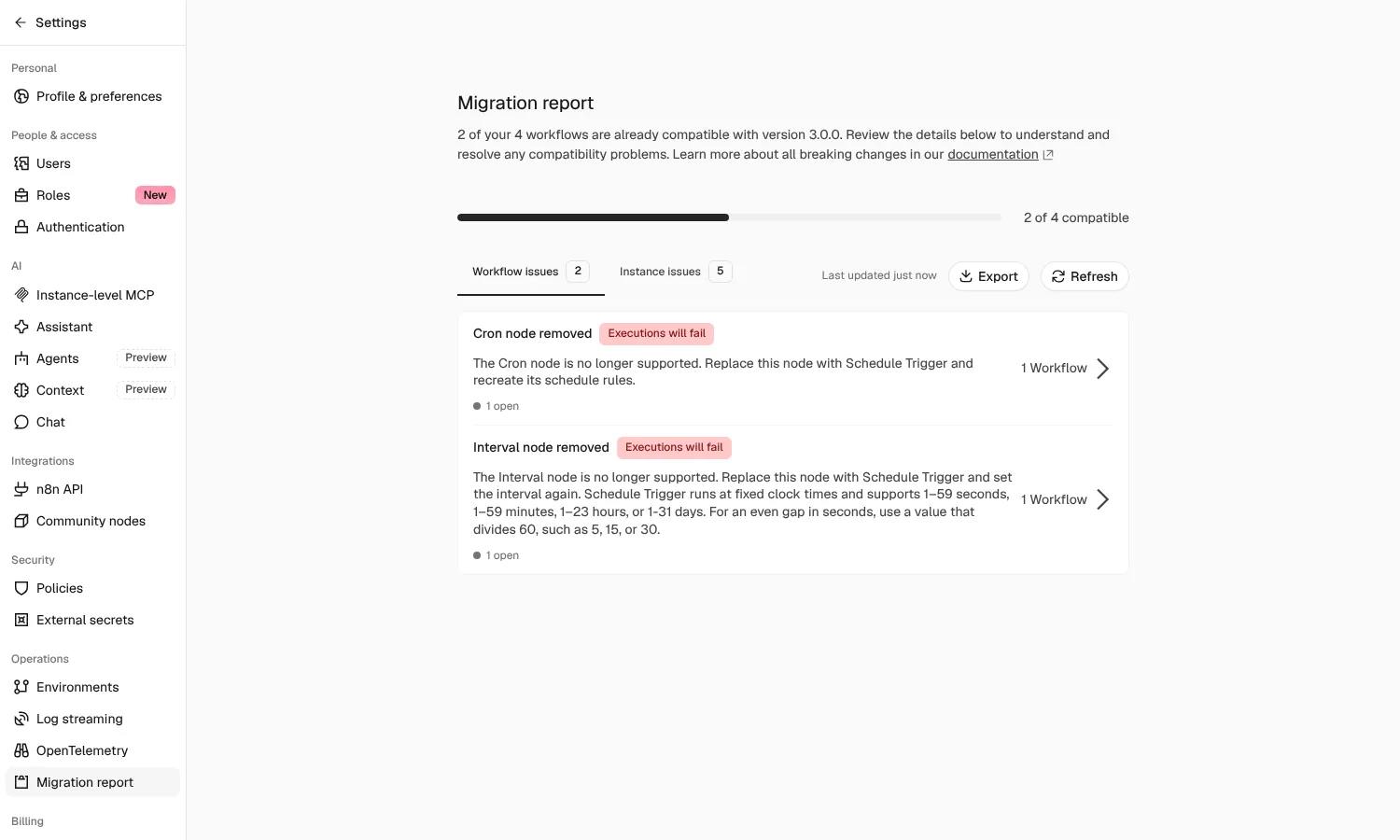
Do this on n8n 2.x, before you upgrade. Open Settings → Migration Report. It lists "Cron node removed" and "Interval node removed", each marked "Executions will fail", with the number of affected workflows. Click through to see each one. On 2.47.7 the old triggers still run on time, so you have time to fix them.
How do you replace a Cron node with the Schedule Trigger?
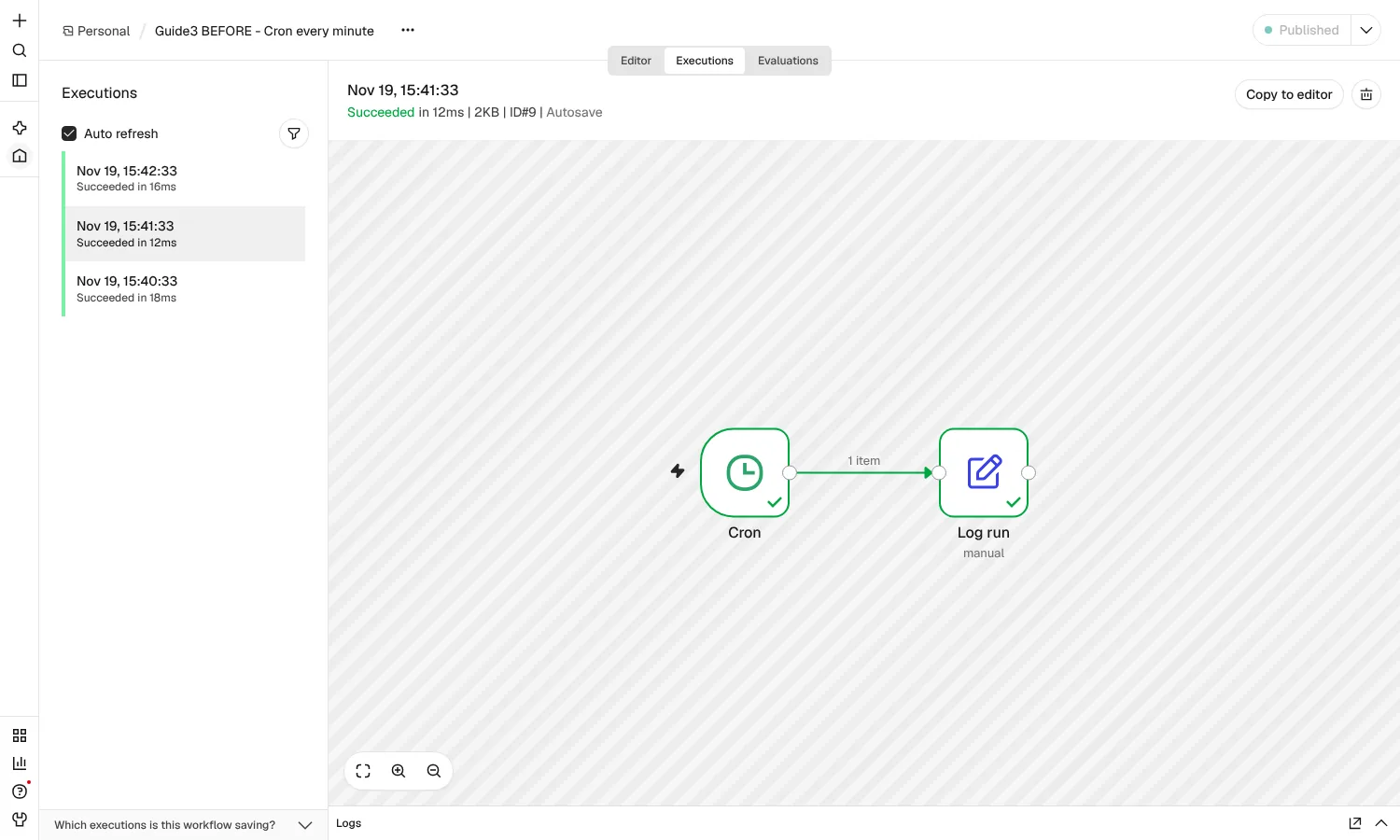
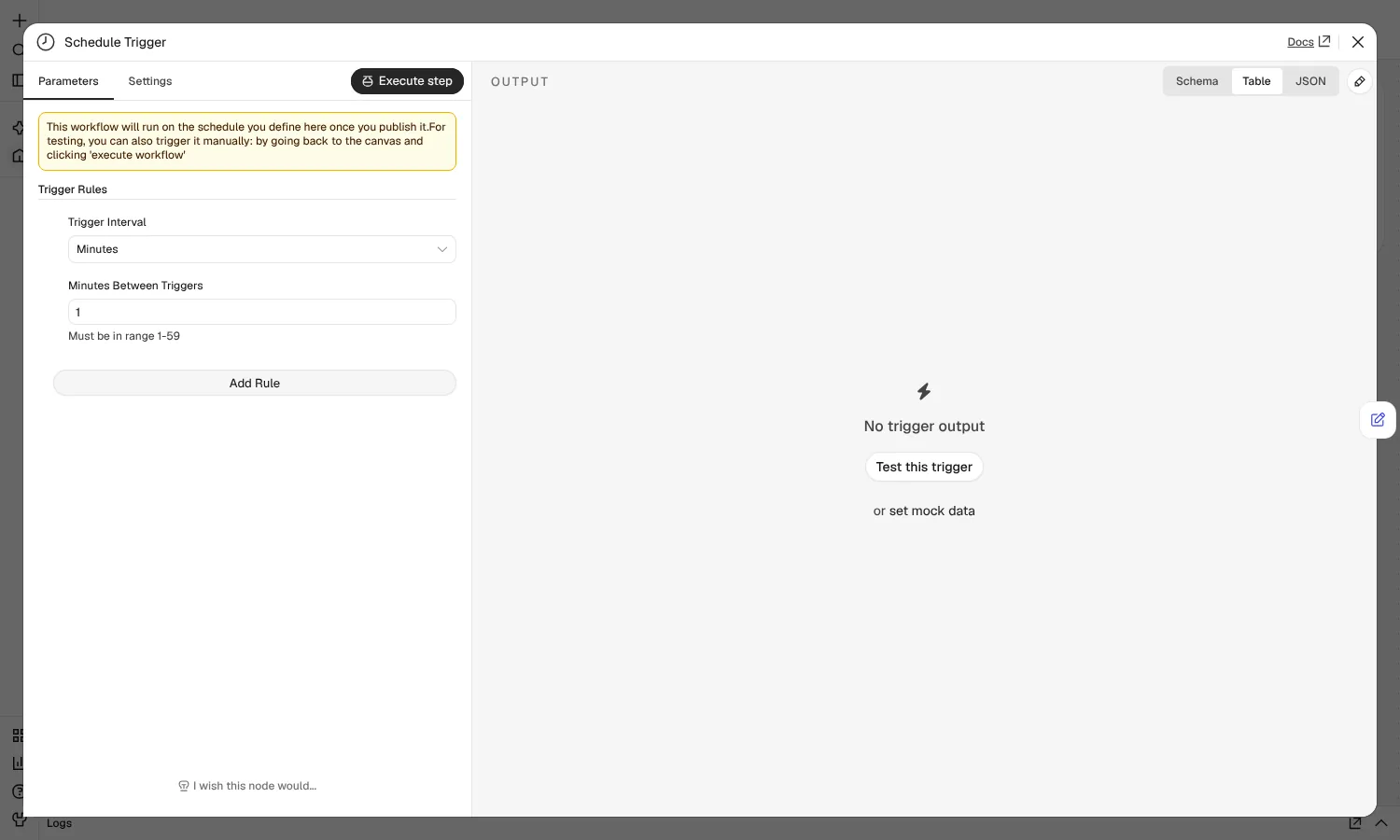
Add a Schedule Trigger, set the same schedule, connect it where the Cron node was, delete the Cron node and publish the workflow. The common Cron modes map like this:
| Old Cron setting | Schedule Trigger setting |
|---|---|
| Every Minute | Trigger Interval: Minutes, Minutes Between Triggers: 1 |
| Every Hour | Trigger Interval: Hours, Hours Between Triggers: 1 |
| Every Day at 09:00 | Trigger Interval: Days, Trigger at Hour: 9am, Minute: 0 |
| Every Week on Monday at 09:00 | Trigger Interval: Weeks, Monday, 9am |
| Custom cron expression | Trigger Interval: Custom (Cron), with the same expression, e.g. 0 9 * * 1-5 |
We tested the "Every Minute" case end to end on all three versions. The other rows follow the Schedule Trigger's own options; we did not wait for those runs.
How do you replace an Interval node?
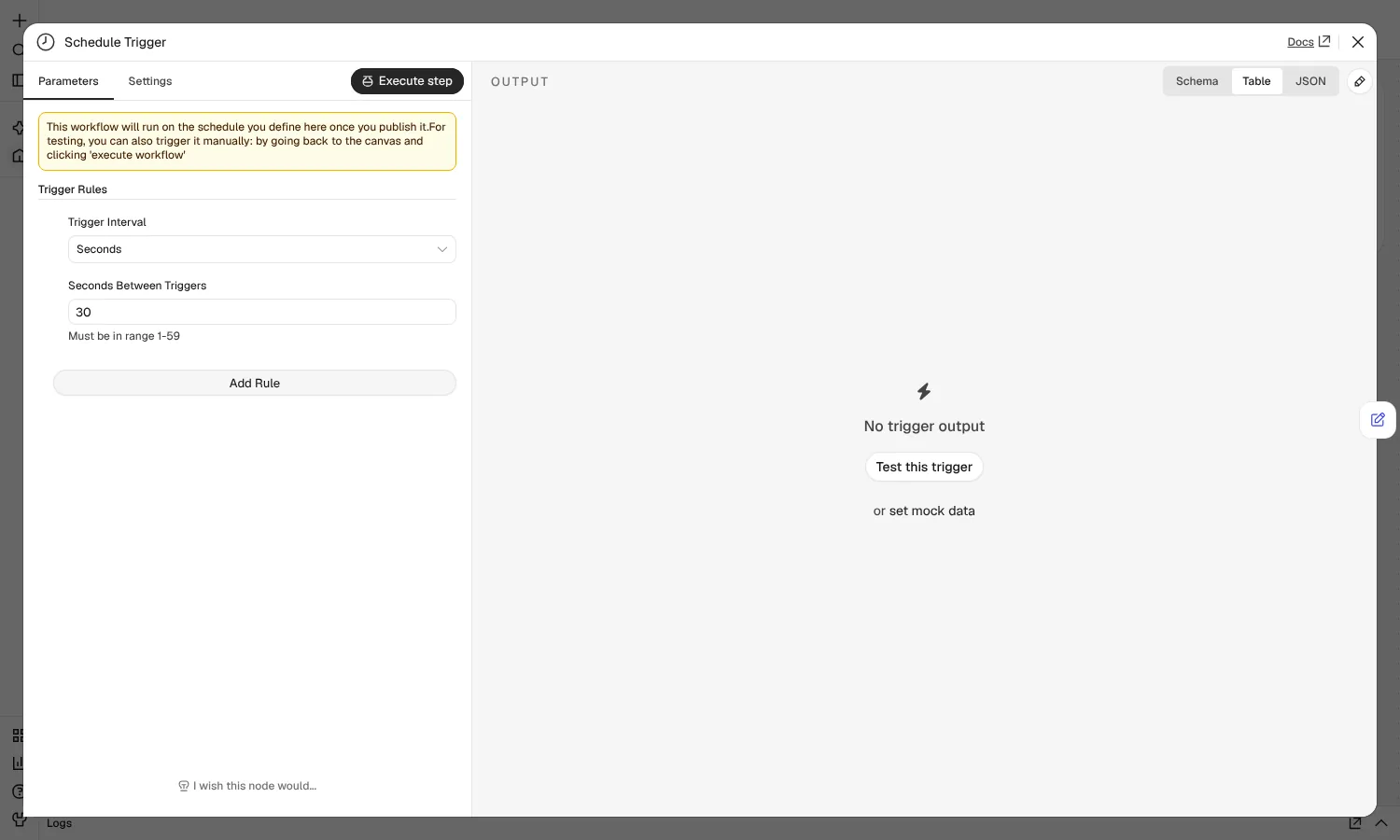
Use a Schedule Trigger with the same unit: Seconds, Minutes, Hours or Days. Two things change:
- Allowed values. The Schedule Trigger accepts 1 to 59 seconds or minutes, 1 to 23 hours and 1 to 31 days, according to the Migration Report. An Interval of 90 seconds or 2 hours 30 minutes has no exact match, so choose the nearest allowed value or a Custom (Cron) expression.
- Clock times. n8n says the Schedule Trigger "runs at fixed clock times", and for an even gap in seconds it recommends a value that divides 60, such as 5, 15 or 30. In our run on 1.123.99 the old Interval fired 30 seconds after activation (at :06 and :36), while the 30-second Schedule Trigger fired at :00 and :30.
Also check the timezone: the Schedule Trigger uses the workflow's timezone setting, or the instance timezone (GENERIC_TIMEZONE) if the workflow has none. Then publish and watch the Executions list for two or three runs.
Can you download the tested workflows?
Yes. Download the Schedule Trigger workflow (every minute) or the 30-second version, both exported from n8n 3.0.1. Import with Workflows > Import from file. They need no credentials, and they only log the time they ran.
How did we test this?
We ran n8n in Docker (time zone Asia/Karachi) on 19 November 2026, between 15:27 and 15:38 Pakistan time. We published four workflows on n8n 1.123.99, let them run for about four minutes, then upgraded the same database to 2.47.7 and to 3.0.1 (the newest 3.x tag on Docker Hub that day), letting each version run for about three minutes. We counted the scheduled executions in n8n's own execution table and took screenshots from the editor.
- What ran for real: every scheduled run was started by n8n itself. We triggered nothing by hand, and no AI model was involved.
- What we didn't test: n8n Cloud, an actual Error Workflow, and daily or weekly schedules (we tested minutes and seconds).
- Version caveat: 3.0.1 is early access. We will re-test on the stable 3.x release planned for early December and update this page.
Need help with the n8n 3.0 upgrade?
Replacing a trigger takes a minute per workflow. Help makes sense when you have many scheduled workflows, schedules that don't map cleanly to the Schedule Trigger, or business processes you can't afford to miss.
See the full n8n 3.0 upgrade guide, our tested guides on replacing Function nodes with the Code node and migrating AI Agent v1, our n8n and Make.com automation service, or book a free strategy call.